TouchPoint Console Installation and Setup Guide 51
Chapter 4: Additional Local Configuration
Service Banner
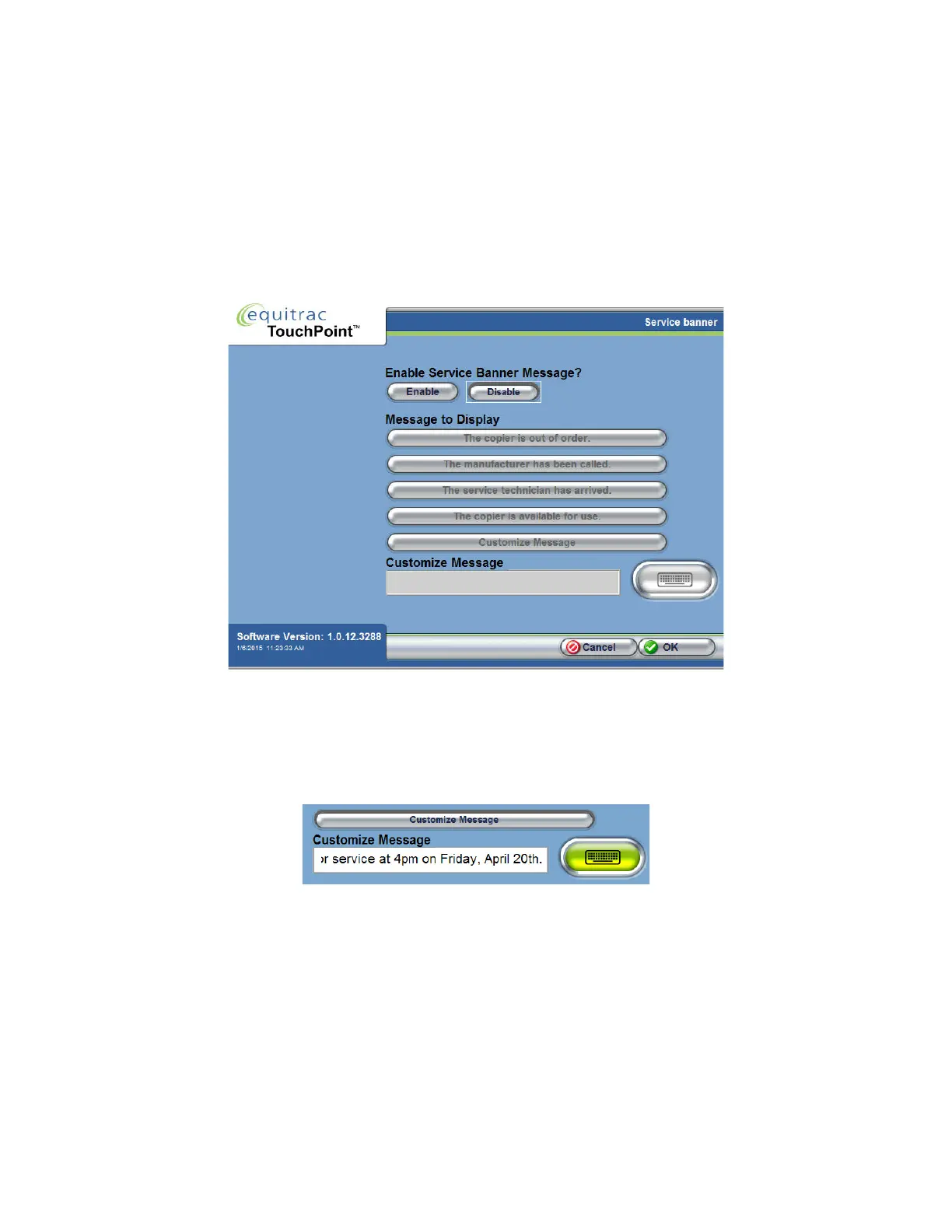
A service banner is a message that appears on the TPC Information Bar to convey specific information to end-users.
You might need a service message to notify users that the copier is out of order, or if you want to remind them to
perform a specific task, for example. TPC has four preset messages that you can quickly apply, or you can create your
own custom message.
1
On the Administrative Options screen, press Service Banner.
2
Press Enable, then choose from one of the four preset messages or type a custom message.
3
To use a custom message, first press the Custom Message button to enable the Customize Message field. If you have
a hard keyboard attached to TPC, type your custom message in the field. Without a hard keyboard, press the Soft
Keyboard button to type a message.
4
Press OK to save the change.



 To Next Page