Chapter 4: Additional Local Configuration
54 TouchPoint Console Installation and Setup Guide
System Logging
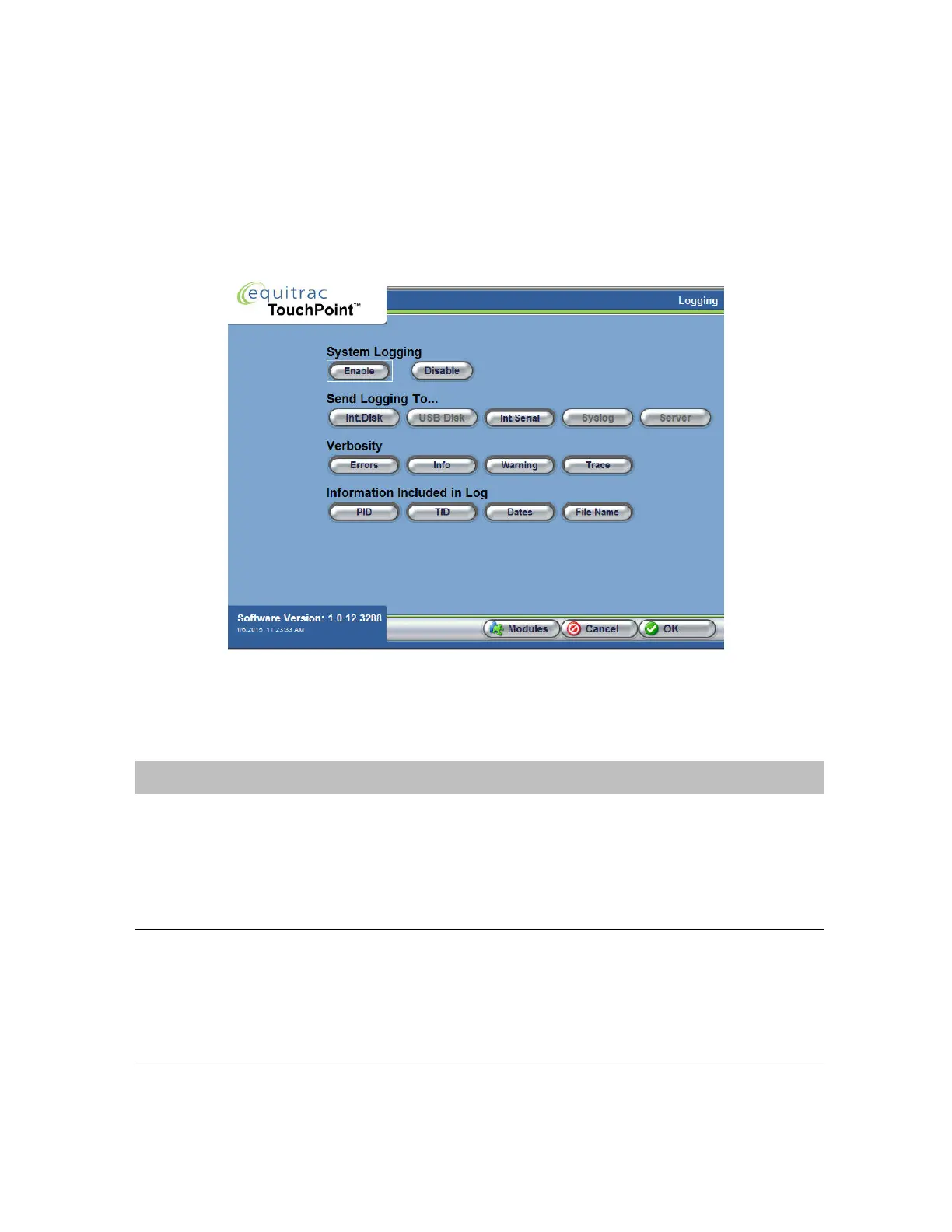
Technical Support may ask for logs to perform troubleshooting. Logs contain valuable diagnostic detail that can help
trace the source of a problem. The Logging screen allows you to enable or disable logging, determine where the log
detail will be saved, identify the type of information that will be logged, and the amount of detail included.
1
On the Administrative Options screen, press Logging.
2
In the Logging screen, press Enable to turn system logging on.
The following table describes the remaining options on this screen.
Option Description
Send Logging To Enable one or more devices where the log will be saved.
• Int. Disk - internal disk
• USB Disk - on a peripheral USB disk that is attached to one of the TPC USB ports
• Int. serial - on the internal serial device
• Syslog - saved to the system log file
• Server - saved on the server
Verbosity Determines the event types that will be logged. Select only the options that you want to
log. You can select one or more of these options at the same time.
•Errors
•Info
•Warning
•Trace



 To Next Page