13
Brush overload.
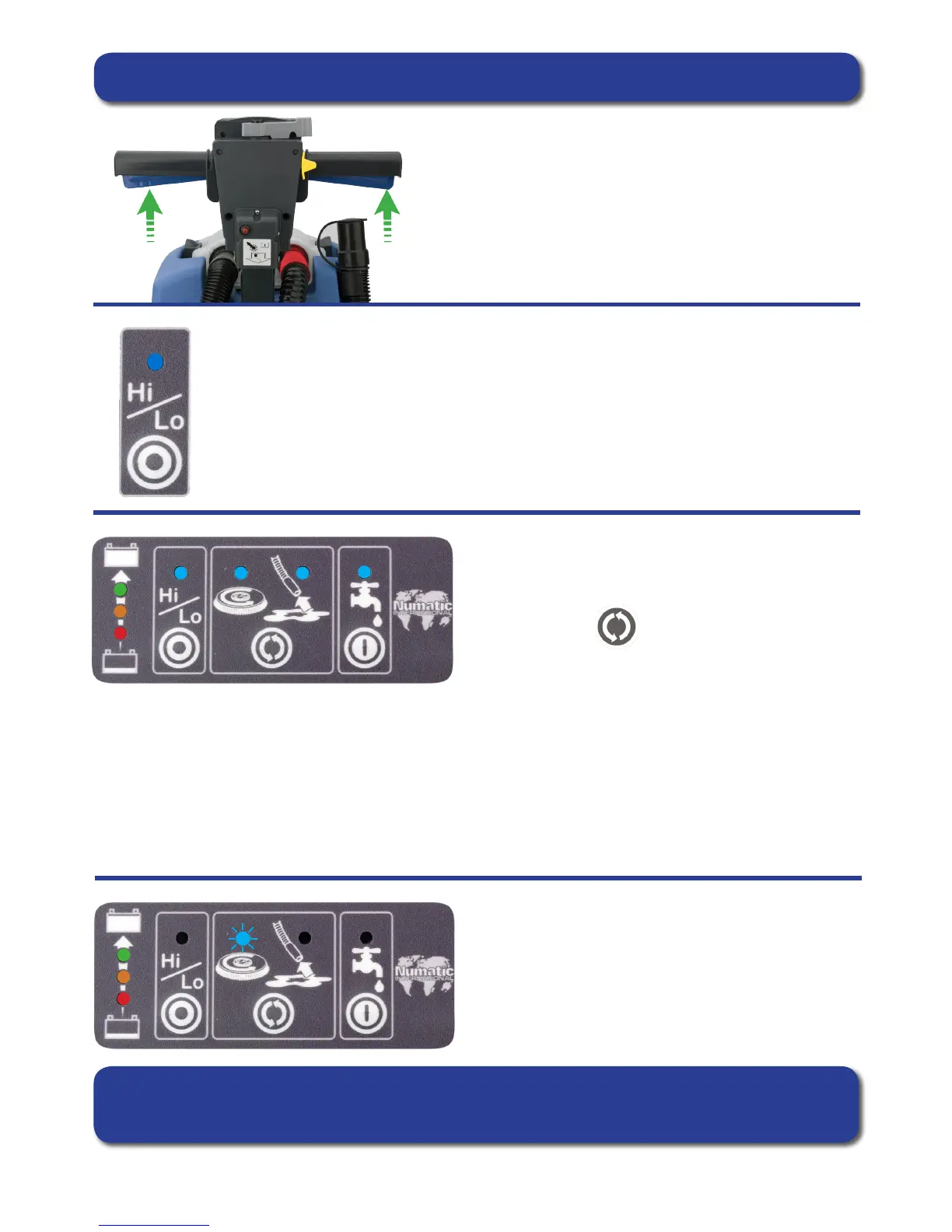
The brush LED light will ash if the brush motor has been
overloaded (Fig.30).
Releasing the handle triggers will allow the machine to stop
and reset.
If the brush motor keeps overloading consider using a different type of brush.
Or move the transit wheels to obtain different brush pressures,
Heavy brush load decreases the available battery run time.
Setting the cleaning controls
Hi / Lo speed can only be toggled when the machine is in
STAND-BY MODE.
Water On / Off can only be toggled when in ACTIVE MODE.
Brush / Vac Switch can be cycled in both
STAND-BY and ACTIVE MODE.
Fig.30
To activate the machine from SLEEP MODE press either trigger
once.
When the triggers are released the brush motor and the cleaning solution pump will switch off, the vacuum motor will
continue for 10 seconds (this is to clear any uid residue in the hose).
The panel if unused will automatically enter SLEEP MODE after 60 seconds.
The TTB 4055T has been tted with a Hi - Lo mode, this reduces the noise produced by the
vacuum motor by 3dB.
To operate the Hi - Lo mode start the machine in the normal way.
When the machine is running normally the Hi - Lo light will NOT be illuminated, this means
the Vacuum motor is running at 100%.
With the machine running press the Hi - Lo button once the Vacuum motor will reduce speed
to 75% of capacity and the Hi - Lo light will illuminate Blue.
STAND-BY
Stage 1. Brush and Vac
Stage 2. Brush only
Stage 3. Vac only
ACTIVE
Stage 1. Brush and Vac
Stage 2. Brush



 To Next Page