Edition 02 to 12/2013
7.3
SERVICE MANUAL
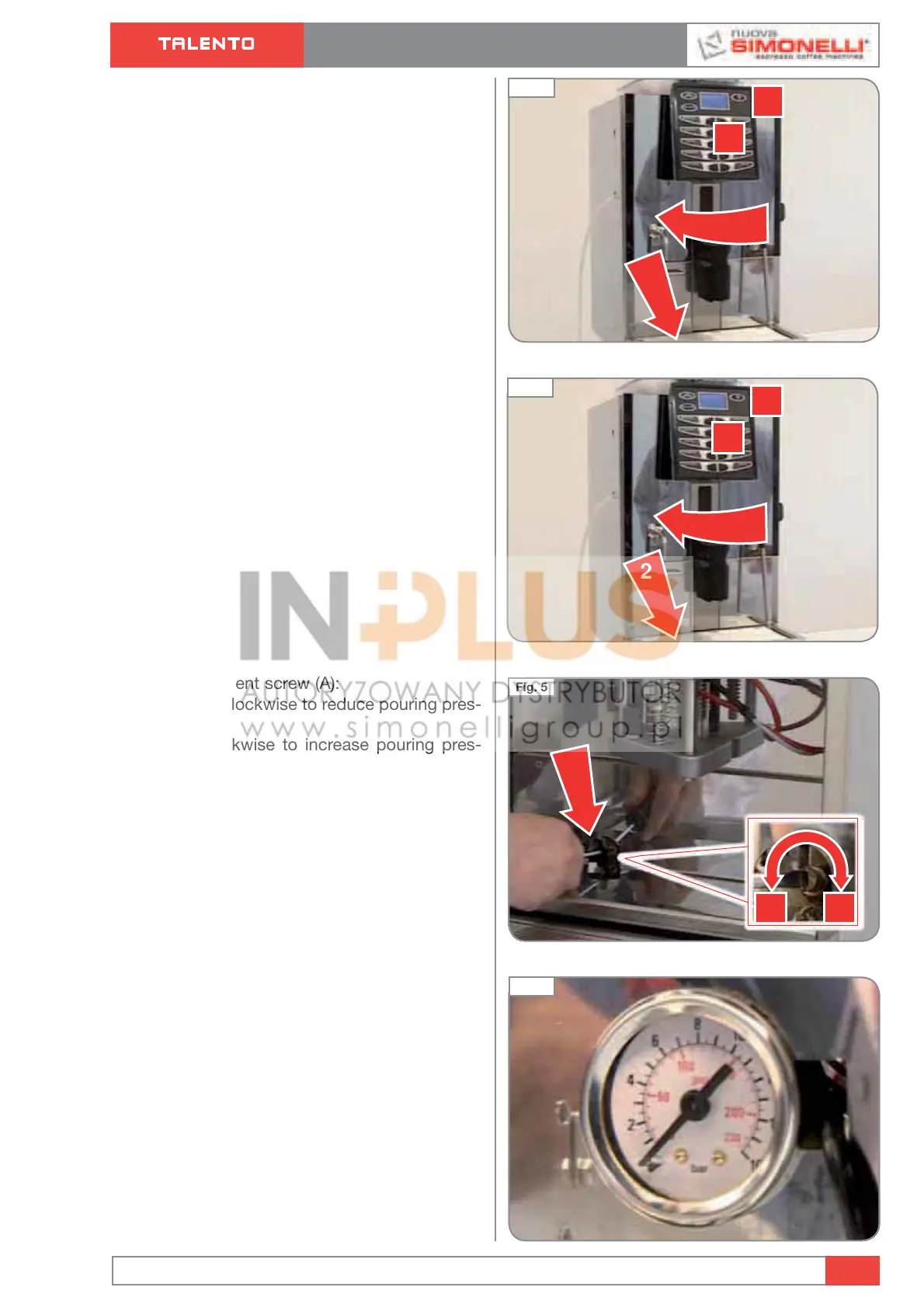
7.1 ACCESS
The engineer needs to:
1 Switched off the machine.
2 Remove the grounds drawer.
3 Turn the key anticlockwise.
4 Open the front panel.
7.2 PUMP AND PRESSURE
GAUGE ADJUSTMENT
To adjust pump pressure, the engineer needs to:
1 Switched off the machine.
2 Remove the grounds drawer.
3 Turn the key anticlockwise.
4 Open the front panel.
Use the adjustment screw (A):
5 Turn it anticlockwise to reduce pouring pres-
sure.
6 Turn it clockwise to increase pouring pres-
sure.
Pressure needs to be set while pouring coffee.
To check the manometer value and set the pump
pressure while group is working it’s necessary to:
1 Open the door and pull the white door sen-
sor to short circuit the door sensor.
2 Short circuit the ground drawer magnetic
sensor using a suitable magnet.
3 Set a cup under the coffee nozzle and press
a coffee program i.e. espresso;
4 While coffee is pouring out, check the
manometer value and turn the adjustment
screw anticlockwise to reduce or clockwise
to increase the pump pressure.
The pressure needs to be registered at 9 bar.
With the machine in stand-by mode, the pres-
sure gauge will read “0” due to the water stop
solenoid.
Fig. 3
Fig. 4
Fig. 5
Fig. 6












 To Next Page