IitllllVli IIHUUIVU
GETTING
SEQUENCES
AROUND
Selecting A Sequence
The DX can store up to 100 drum sequences. numbered 00 thru 99. Select one by
pressing two numbers
, or one of the arrow buttons. The display will show you which
sequence you have selected.
Playing A Sequence
Press PLAY. The sequence will play over and over until you press STOP. You can also
select another sequence while playing ahd the OX wil play it immediately after the first
sequence has finished.
Real Time Recording
There are two ways to record on the OX: REAL TIME and SINGLE STEP. In REAL
TIME
. the sequence plays over and over and you simply press the buttons where you
want the drums to sound. In SINGLE STEP
, the sequence advances one beat each
time you press either of the arrow buttons
, which allows you to record your drum beat
slowly. The REAL TIME mode of recording is expiained here. The SINGLE STEP mode
of recording is explained in the section entitled STEP.
Recording a Sequence
Select Sequence 00
(Display)
... .._--...... - --.... ---------.. -..---..-
Start Recording
II
IHa
m:CI PLAY
Bar Numbe
FlashirujlMetronome
..... - -..... - -- -- -...... -.- -.. - - -.. - - -....-
Play Orums
K: K:
LOUD SOFT
(Bass) (Snare)
- - _.. -....... -- -..... - -- - -. - - - -.. - - - - -..-
Stop Recording
STOP
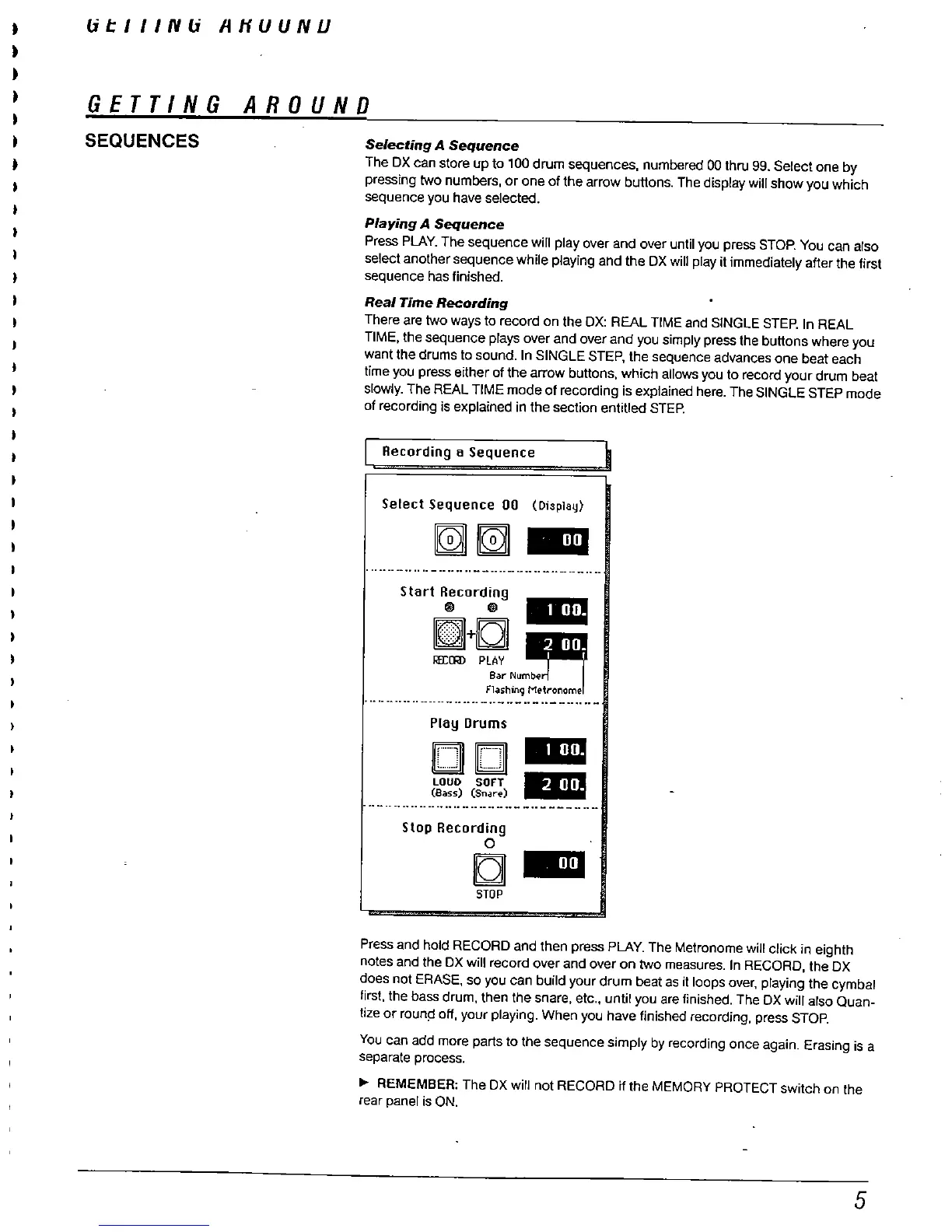
Press and hold RECORD and then press PLAY. The Metronome will click in eighth
notes and the OX wil record over and over on two measures. In RECORD
, the OX
does not ERASE
, so you can build your drum beat as it loops over
, playing the cymbal
first, the bass drum
, then the snare, etc.
, unti you are finished. The OX wil also Quan-
tize or raun!= off
, your playing. When you have finished recording, press STOP.
You can add more parts to the sequence simply by recording once again. Erasing is a
separate process.
REMEMBER: The OX will not RECORD if the MEMORY PROTECT switch on the
rear panel is ON.



 To Next Page