:)UfHI:)T/CATION
SOPHISTICA TlON
The OX incorporates several functions that change the time and feel of the machine
and enable programming one beat at a time. Utiizing them wil increase your rhythmic
possibilities and make
gramming
faster and easier.
QUANTIZE
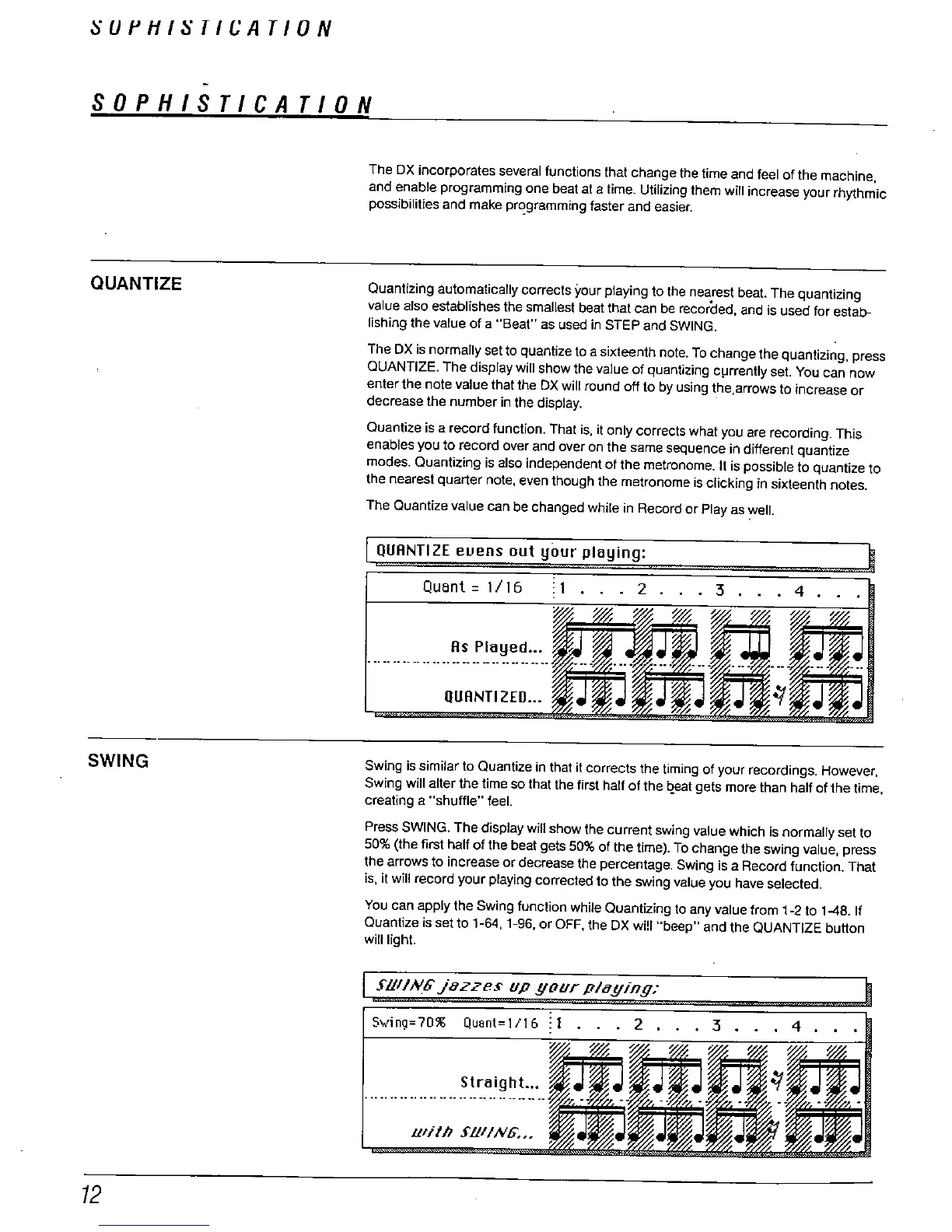
Quantizing automatically corrects your playing to the nearest beat. The quantizing
value also establishes the smallest beat that can be recorded
. and is used for estab-
lishing the value of a "
Beat" as used in STEP and SWING.
The DX is normally set to quantize to a sixteenth note. To change the quantizing, press
QUANTIZE. The display wil show the value of quantizing c
rrently set. You can now
enter the note value that the DX wil round off to by using the
arrows to increase or
decrease the number in the display.
Quantize is a record function. That is. it only corrects what you are recording. This
enables you to record over and over on the same sequence in different quantize
modes. Quantizing is also independent of the metronome. It is possible to quantize to
the nearest quarter note
, even though the metronome is clicking in sixteenth notes.
The Quantize value can be changed while in Record or Play as
ell.
QUANTI ZE euens out your playing:
Quant = 1/16
. 2 .
. . 3
. 4 .
QUANTI ZED...
SWING
Swing is similar to Quantize in that it corrects the timing of your recordings. However
Swing wil alter the time so that the first half of the
t1t gets more than half
of the time,
creating a "
shuffle
" feel.
Press SWING. The display will show the current swing value which is normally set to
50% (the first half of the beat gets 50% of the time). To change the swing value
, press
the arrows to increase or decrease the percentage. Swing is a Record function. That
, it wil record your playing corrected to the swing value you have selected.
You can apply the Swing function while Quantizing to any value from 1-
2 to 1-48. If
Quantize is set to 1-
, 1-
, or OFF
, the DX will "
beep
" and the QUANTIZE button
will light.
rUIIN6.fuzzes up your pluy/ny:
v,llng=70%
quant=
1/16
: 1
Lil/th SUI/N6...



 To Next Page