- - - - - - - - - - - - - - - - - - - - -
-........ ..... .M...-
......
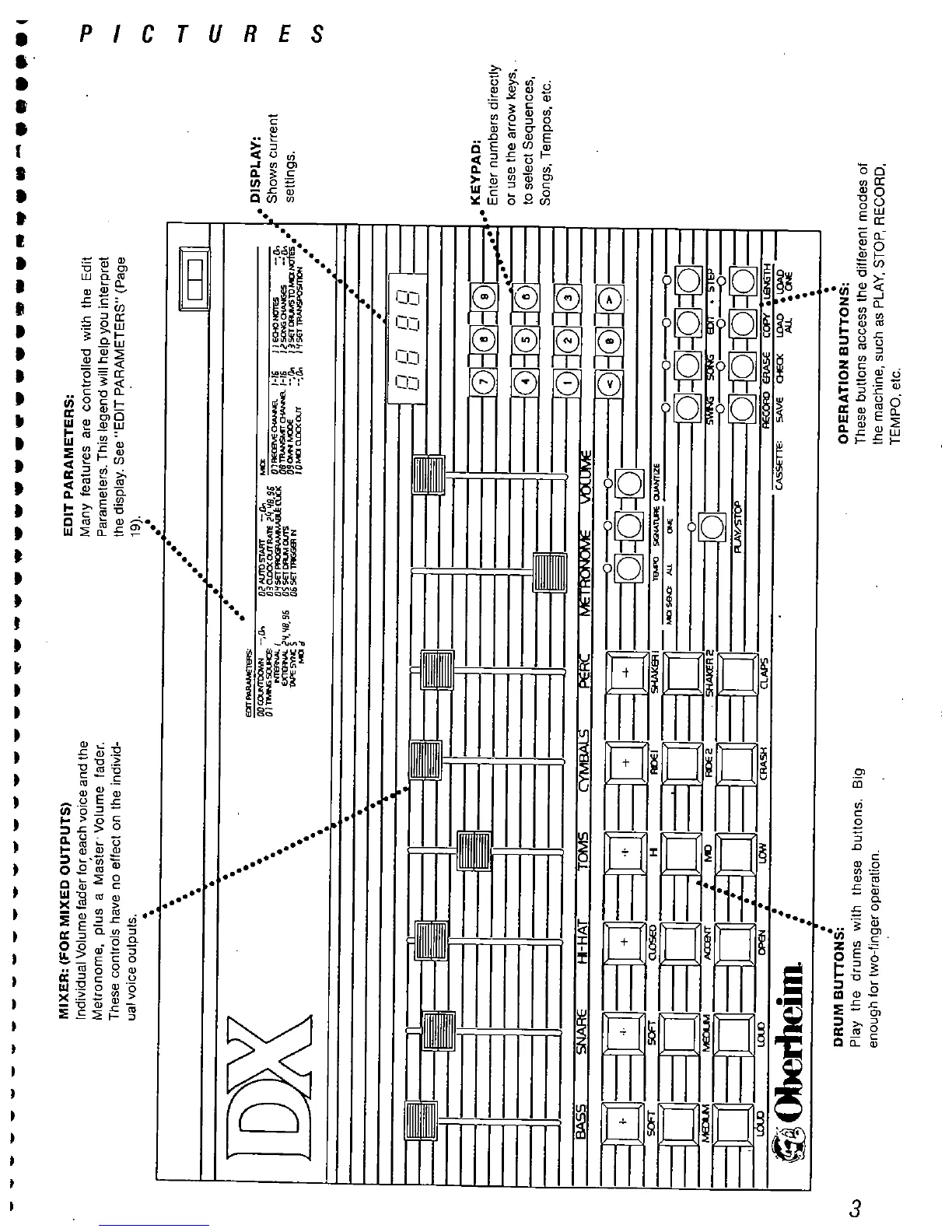
MIXER: (FOR MIXED OUTPUTS)
Individual Volume fader for each voice and the
Metronome. plus a Master' Volume
fader.
These controls have no effect on the individ-
ual voice outputs.
EDIT PARAMETERS:
Many features are controlled with the Edit
Parameters. This legend will help you interpret
the display. See "
EDIT PARAMETERS" (Page
19).
J J EONO --
a- I
SO
0i
-- l: .
, 3 SE
CR TO MD MJ .
, If SE TR
'''
OOCC --
OITY50:
-=f
'f8
SIi
.. . ~~~~
TAAn: "ier!f8
sli
OlfSE
as SE
I: OU
OIiSE
..,
01RE I-Iii
08TRCJ
'-Iii
DSooM:
IDMDCUcx
, ,
CJ
, ,
Cf C,
GIEj
:0:i
SNAR
H- AT
TOM
CYBA
MI
IGB
BJEJ
=:=:=:=:
lO=!=!
~~~ .,
fv
fv
NX . t. Rl2
. SHR
WN t:l .
::11:
RAV/S
~~~
LC
L. OP
LO
CRASH
ClAP
RE ER
COP _l&
Obri
CASE:
SAVE 0t l.
AU .CN
DRUM BUTTONS:
Play the drums with these
buttons. Big
enough for two-
finger operation.
OPERATION BUTTONS:
These buttons access the different modes of
the machine
, such as PLAY
. STOP, RECORD,
TEMPO. etc.
. DISPLAY:
- Shows current
settngs.
KEYPAD:
Enter numbers directly
or use the arrow keys.
to select Sequences
Songs, Tempos
, etc.



 To Next Page