DOC-13000 Rev. E 7–55
Connex500/350 User Guide
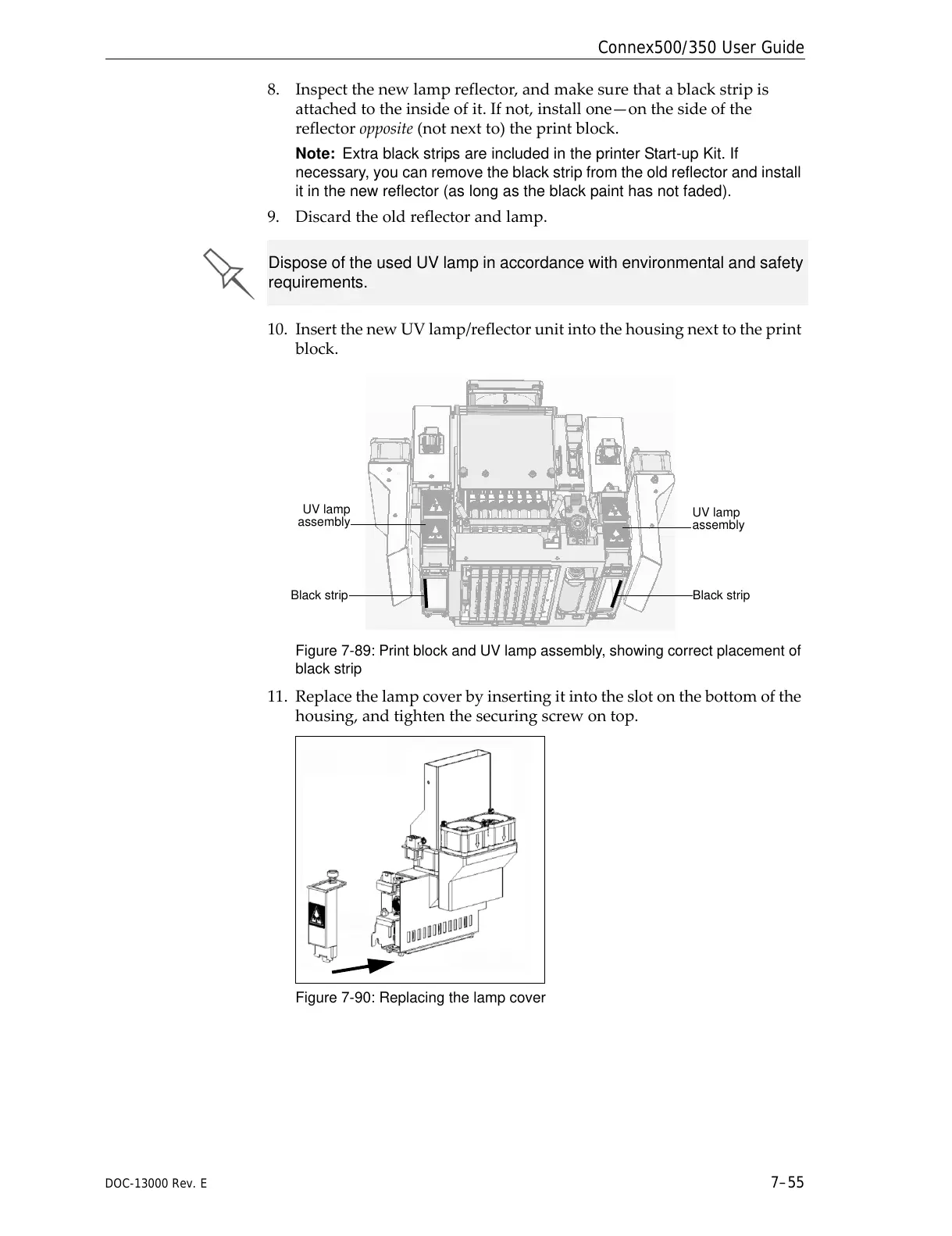
8. Inspectthenewlampreflector,andmakesurethatablackstripis
attachedtotheinsideofit.Ifnot,installone—onthesideofthe
reflectoropposite(notnextto)theprintblock.
Note: Extra black strips are included in the printer Start-up Kit. If
necessary, you can remove the black strip from the old reflector and install
it in the new reflector (as long as the black paint has not faded).
9. Discardtheoldreflectorandlamp.
10. InsertthenewUVlamp/reflectorunitintothehousingnexttotheprint
block.
Figure 7-89: Print block and UV lamp assembly, showing correct placement of
black strip
11. Replacethelampcoverbyinsertingitintotheslotonthebottomofthe
housing,andtightenthesecuringscrewontop.
Figure 7-90: Replacing the lamp cover
Dispose of the used UV lamp in accordance with environmental and safety
requirements.



 To Next Page