20
CD Indicators
3.5 Print
The Print menu provides a number of options which can be turned ON or OFF. It contains 8 submenus: Auto Print,
Inter, Stable, Numeric, GMPCont, GMP Tare, Reference and Lock. See descriptions below.
Procedure
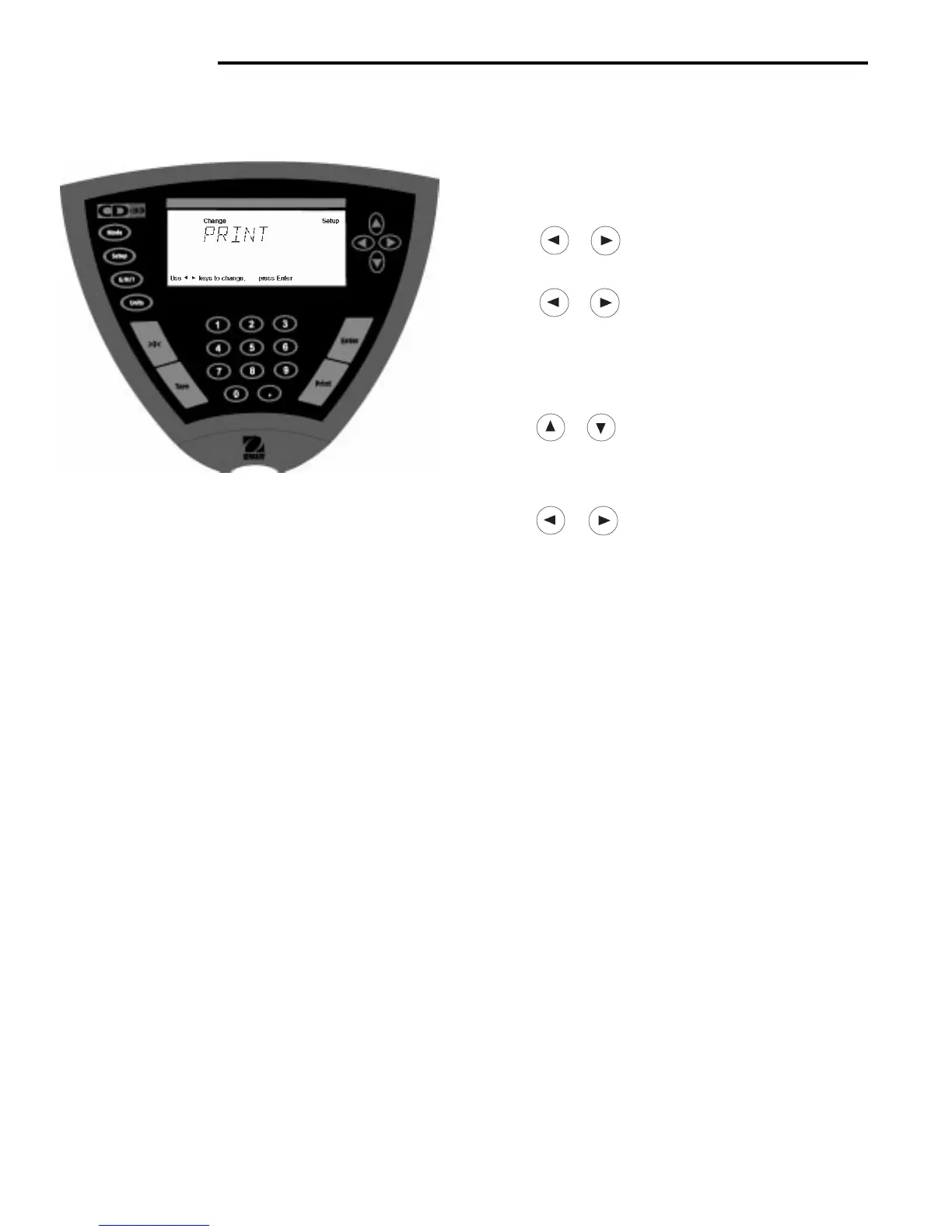
• Press the Setup button, SCALE is displayed.
• Press or button until PRINT is displayed.
• Press Enter button to continue.
• Press
or button until either AUTOPRT,
INTER, STABLE, NUMERIC, GMPCONT, GMPTARE,
REFEREN, LOCK or EXIT is displayed.
• Press Enter button to continue.
• Press
or button and select either menu
setting or ON or OFF.
• Press Enter button to save setting.
• Press or button to select next item or EXIT.
• Press Enter button to continue.
Auto Print Feature
When enabled, the Auto Print feature causes the Indicator to automatically output display data in one of three ways:
continuously, at user specified time intervals, or upon stability. Default settings are shown bold.
OFF when set on turns off the auto print feature
Cont when set on, outputs printed data continuously
Inter provides a user specified printing interval
On Stb provides printed data only when a stable reading is achieved
Interval
Can be set to provide a specified printing interval between 1 and 3600 seconds.
Print Stable Data Only
When set On, permits only stable display data to be output. OFF is the default setting.
Print Numeric Data Only
When Numeric Data Only function is turned ON, this allows the indicator to output numeric data only for RS232 output.
OFF is the default setting.
GMP Continuously
When the GMP Continuously function is set ON, it allows the Indicator to output the GMP selections each time a
weight value is printed to the printer. OFF is the default setting.
GMP Once After Tare
When the GMP Tare function is set ON, it allows the Indicator to output the GMP selections once after tare when the
weight value is printed to the printer. OFF is the default setting.
Reference
When the Reference function is set ON, it prints the value of weight used as a reference in either Percent and Parts
Counting modes. OFF is the default setting.
Lock
Lock ON/OFF can only be changed when the hardware Lock Switch is disabled (jumper on). A menu is locked when
the menu lock is set ON and the Lock Switch is enabled (jumper off). Lock when selected and turned on, locks all of
the entries made under the Print menu. In the locked condition, items may be looked at but not changed in the menu.
When set off, entries may be changed. OFF is the default setting.



 To Next Page