38
CD Indicators
Procedure
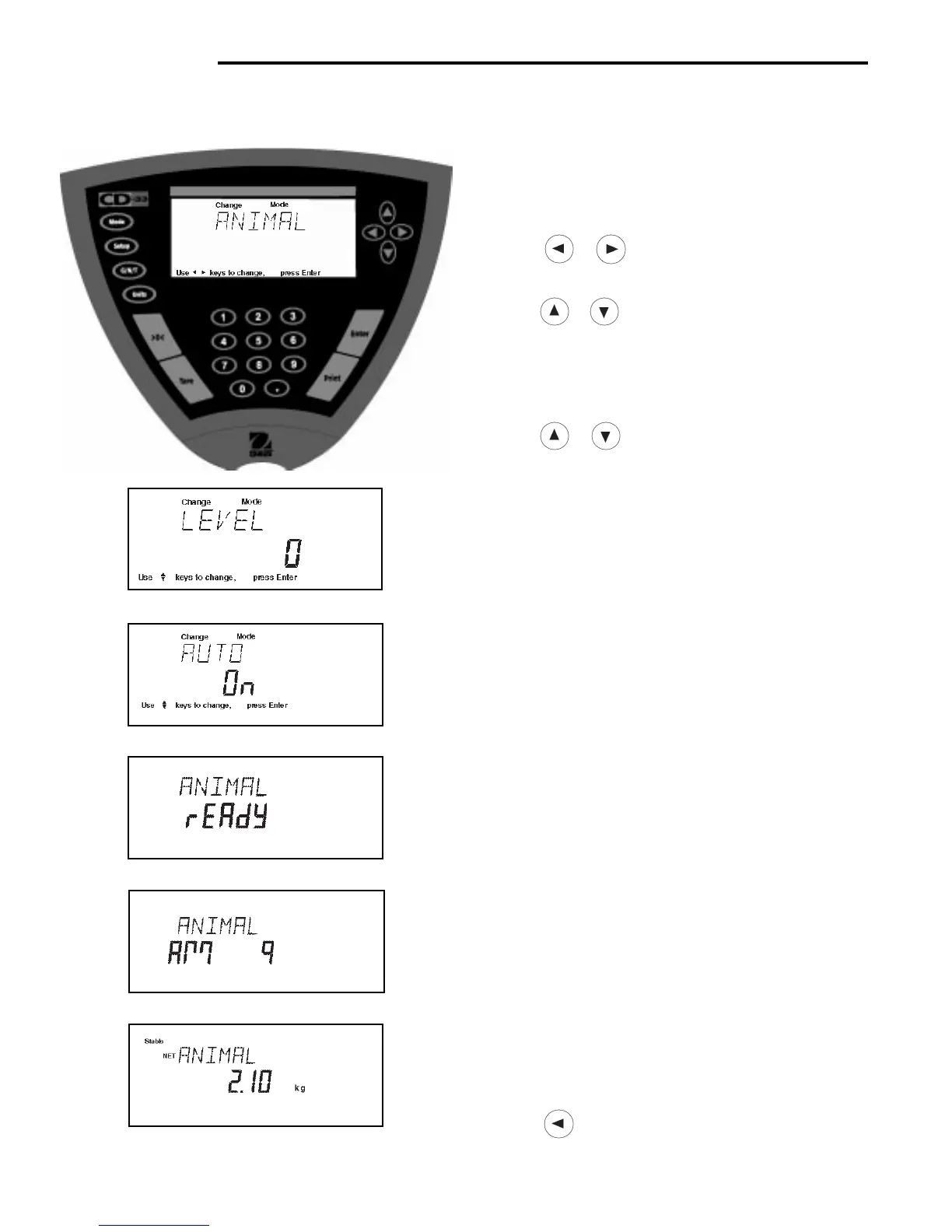
• Press the Mode button, WEIGH is displayed.
• Press or button until ANIMAL is displayed.
• Press Enter button to continue, LEVEL is displayed.
• Press or button to change animal weighing
level, 0, 1, 2 or 3. 0 level represents an inactive
subject, 3 is used for a very active subject.
• Press Enter button to continue, AUTO is displayed.
• Press or button to select AUTO ON or OFF.
• Press Enter button to continue.
When the AUTO function is set ON, different subjects can
be weighed one after another without pressing any
buttons. When the Indicator displays READY, simply
place subject on pan.
4.5 Animal Weighing
Animal Weighing is
enabled only
when Animal is turned ON in the Mode submenu under Setup.
Starting Animal Cycle
• Place animal container if used on pan.
• Press Tare to tare the container. Note: preset tare also
can be used.
• Place subject on pan.
• The animal cycle will automatically start if AUTO was
set to ON.
• Press Enter button to start animal cycle if AUTO was
set to OFF.
During Animal Cycle
• Display shows countdown to AM0.
Completed Animal Cycle
• Indicator displays weight until subject is removed
from the pan. Display returns to ANIMAL READY if
Indicator was set to AUTO.
• To return to weighing mode, press MODE button,
ANIMAL is displayed.
• Press button until WEIGH is displayed, then
press Enter button. Indicator in now in a weighing
mode.



 To Next Page