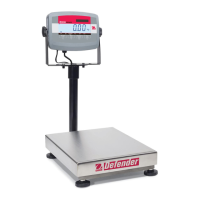
EN-32 Defender 3000 Indicators
Grad2 [GrAd2]
Set the second readability of the scale.
Note:
The value of graduation 2 must be larger than graduation 1, and it applies to capacity as well.
The capacity and graduation value should be within the following range, or your setting will be
unsuccessful:
Capacity / 30000 ≤ Graduation ≤ Capacity / 600
Power On Zero [P.ZerO]
Zero the scale at Power On.
Off = disabled.
ON = enabled.
Power On Unit [P.UNIt]
Set the unit that will be displayed at Power On.
AUtO = last unit in use when turned off
kg = kilograms
g = grams
lb = pounds
oz = ounces
lb:oz = pound ounces
t = metric tonne
Auto Tare [A.tArE]
Set the automatic tare feature.
Off = automatic tare is disabled.
ON = the first stable gross weight is tared. The tared value will be cleared when the indicator returns
to gross zero.
ACCept = stable gross weights within the Accept limits are tared (in Check mode only).



 To Next Page