EB SERIES EN-5
3. OVERVIEW OF CONTROLS AND FUNCTIONS
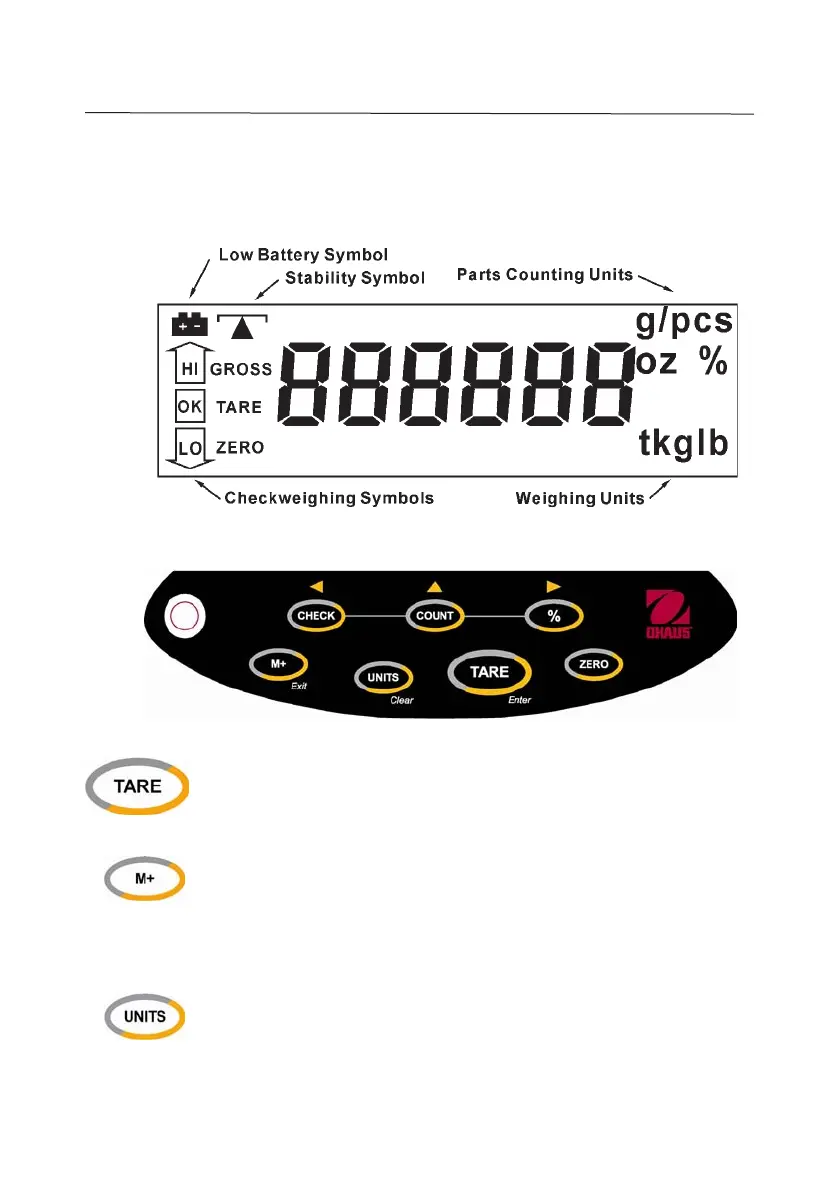
3.1 Display Symbols
3.2 Controls and Functions
• Inputs the weight of the object on the weighing pan as a Tare
value
•
Enter
- accepts displayed parameters
• Adds the indicated weight or piece count value into Accumulation
memory
• Recalls and displays the number of weighments and total
Accumulation data: weight or piece count
•
Exit
– skips to the next parameter or exits to normal operation
• Toggles to the next weighing unit
•
Clear
: clears the indicated input values
Enter
Exit
Clear


 To Next Page