EB SERIES EN-9
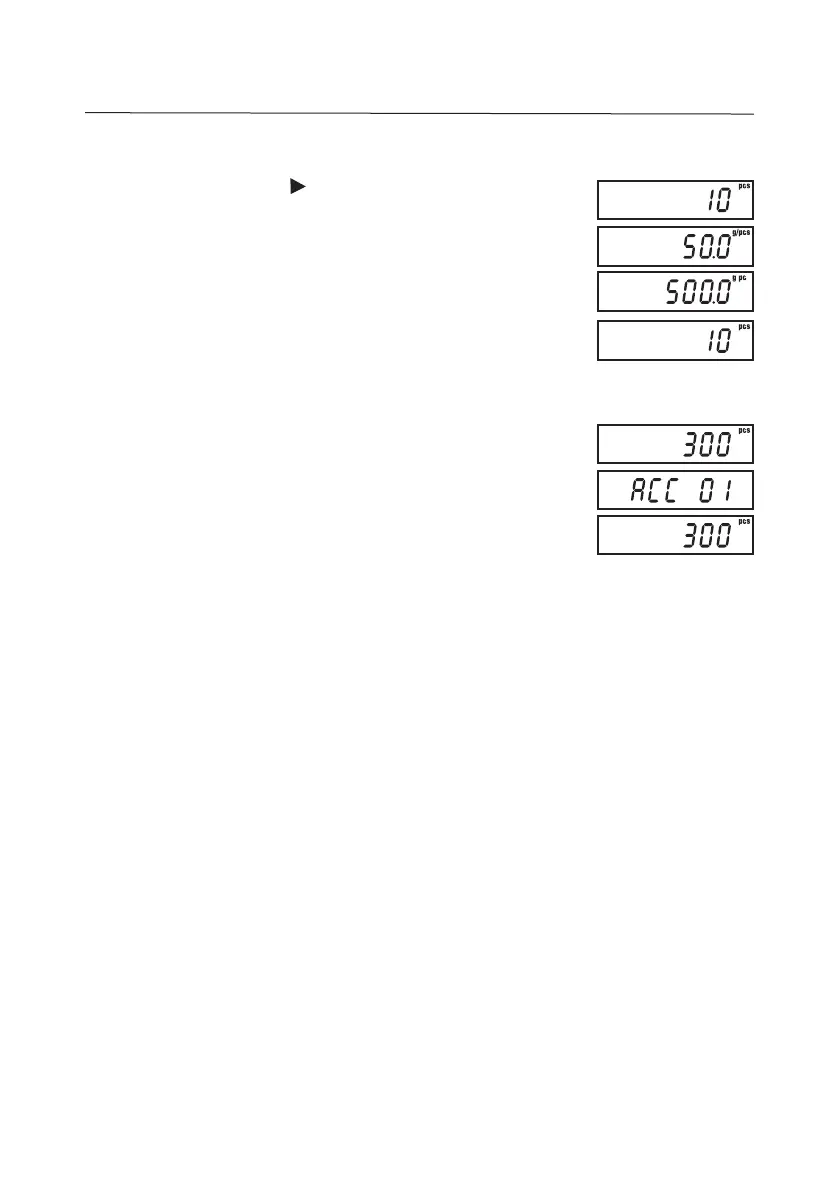
4.7 Displaying Count Data in Counting Mode
In Counting Mode, press successively to toggle through:
Piece Count, APW and Total Weight.
NOTE: APW data will be displayed only with kg and g weighing
units.
4.8
Accumulation: Weight and Quantity (Count)
Place the item to be weighed/counted on the pan (ex. 300g or
300 pcs) then press M+. The accumulation entry “ACC ##”
(maximum 99 entries or until the capacity weight display is
exceeded) is displayed momentarily before reverting to
weighing/counting mode.
NOTES:
• The displayed weight must be stable for M+ to register.
• Display must return to zero before the next accumulation can register.
• To recall Accumulation memory, press M+ with the pan empty. The total
no. of entries, then total weight/count value, will be displayed momentarily
before reverting to weighing/counting mode.
• To clear Accumulation memory, press
Clear
during the recall sequence.
• Accumulation data is not retained when the unit is turned off.


 To Next Page