EB SERIES EN-7
4.3 Zero Operation
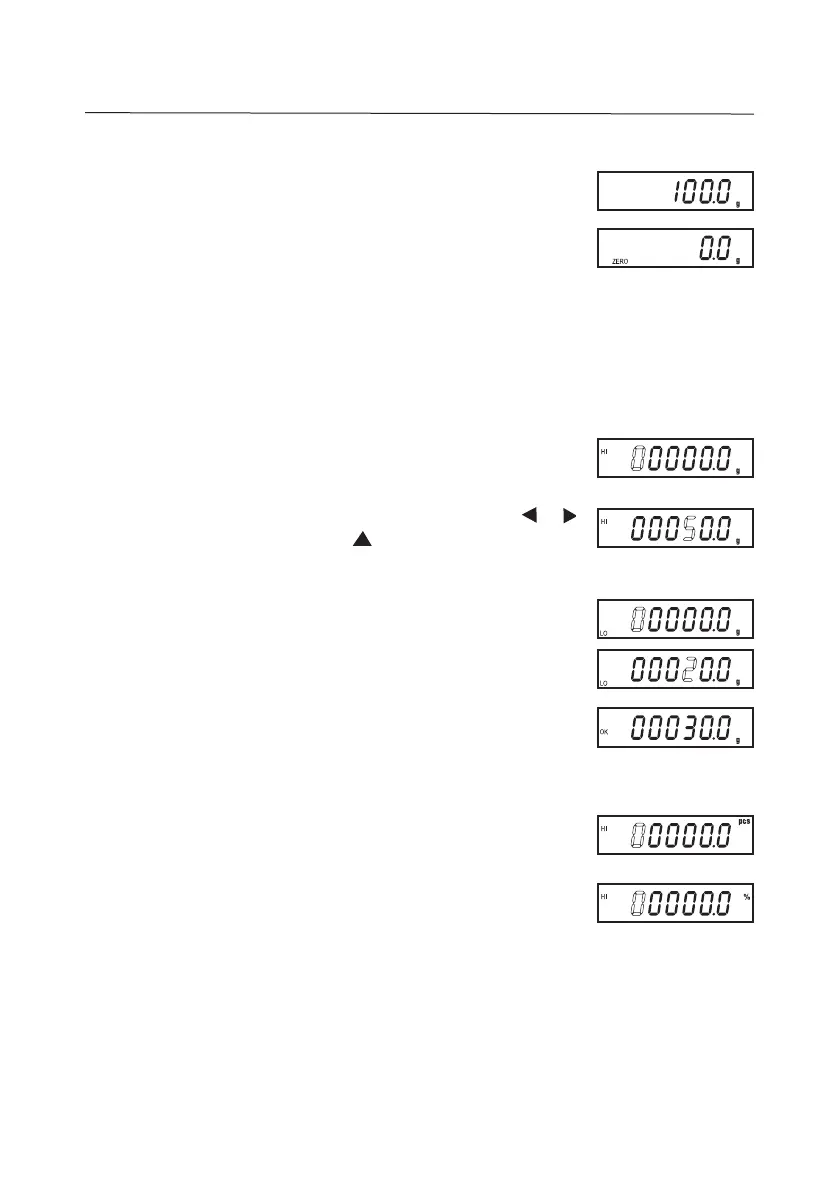
Center of Zero is indicated by “ZERO” on the display.
Press ZERO. “------” will be displayed momentarily before the
display is zeroed.
4.4 Changing Weighing Units
Press UNITS successively to toggle through the available
weighing units.
Compares the weight or quantity (count) of an item against a pre-
set Hi-Lo range.
To initiate entering Hi-Lo parameters, press CHECK. “00000.0”
will be displayed (or the last value entered) with the active digit
flashing.
Enter the desired “Hi” limit value (ex. 50g) by pressing or
to navigate across the digits, and to increment the active
digit. Press
Enter
to set the displayed value.
“00000.0” will be subsequently displayed (or the last value
entered). Enter the desired “Lo” limit value (ex. 20g), then
press
Enter
to set the displayed value.
When the weight or quantity of items placed on the pan is within
the Hi-Lo range,
“OK“ is displayed and the check-alarm will beep continuously
within this range.
To check-count, press CHECK in Counting Mode (displayed unit
is “pcs”)
For Percent check, press CHECK in Percent Mode (displayed
unit is “%”)
4.5 Check-Weighing/Counting, Percent Check


 To Next Page