EN-30 MB90
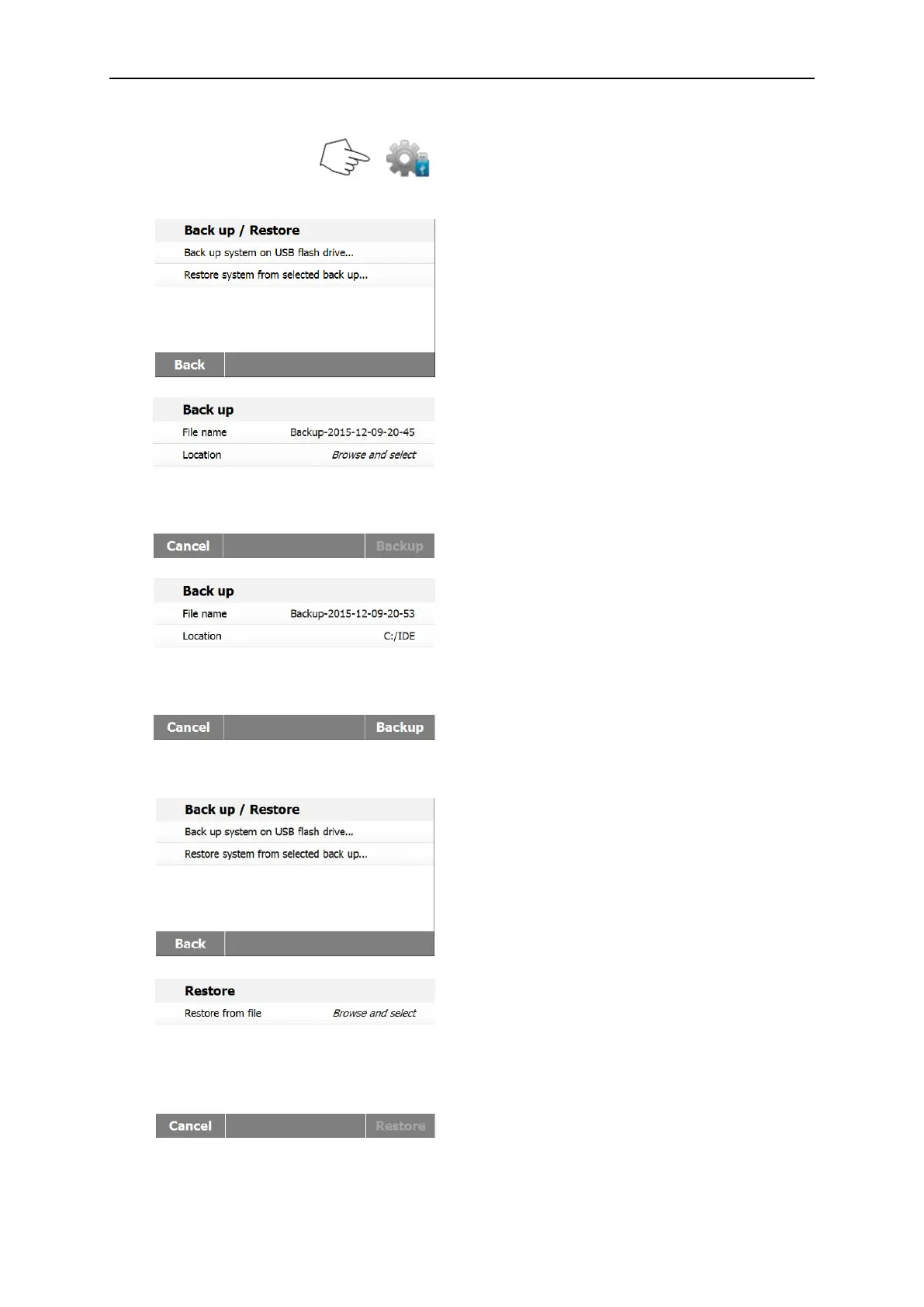
Press Backup and restore to backup or
restore the system settings.
Press Backup system on USB flash drive
to back up system.
Press Back to previous step.
Press Back to return to previous step.
Press File name to change file name.
Press Location to select backup location.
Press Cancel to cancel backup.
After select backup location, the Backup
button is available
Press Cancel to cancel the backup.
Press Backup to execute.
Press Restore system from selected back
up to restore system.
Press Back to previous step.
Press Restore from file to select the restore
file.
Press Cancel to cancel the restore.



 To Next Page