MB90 EN-31
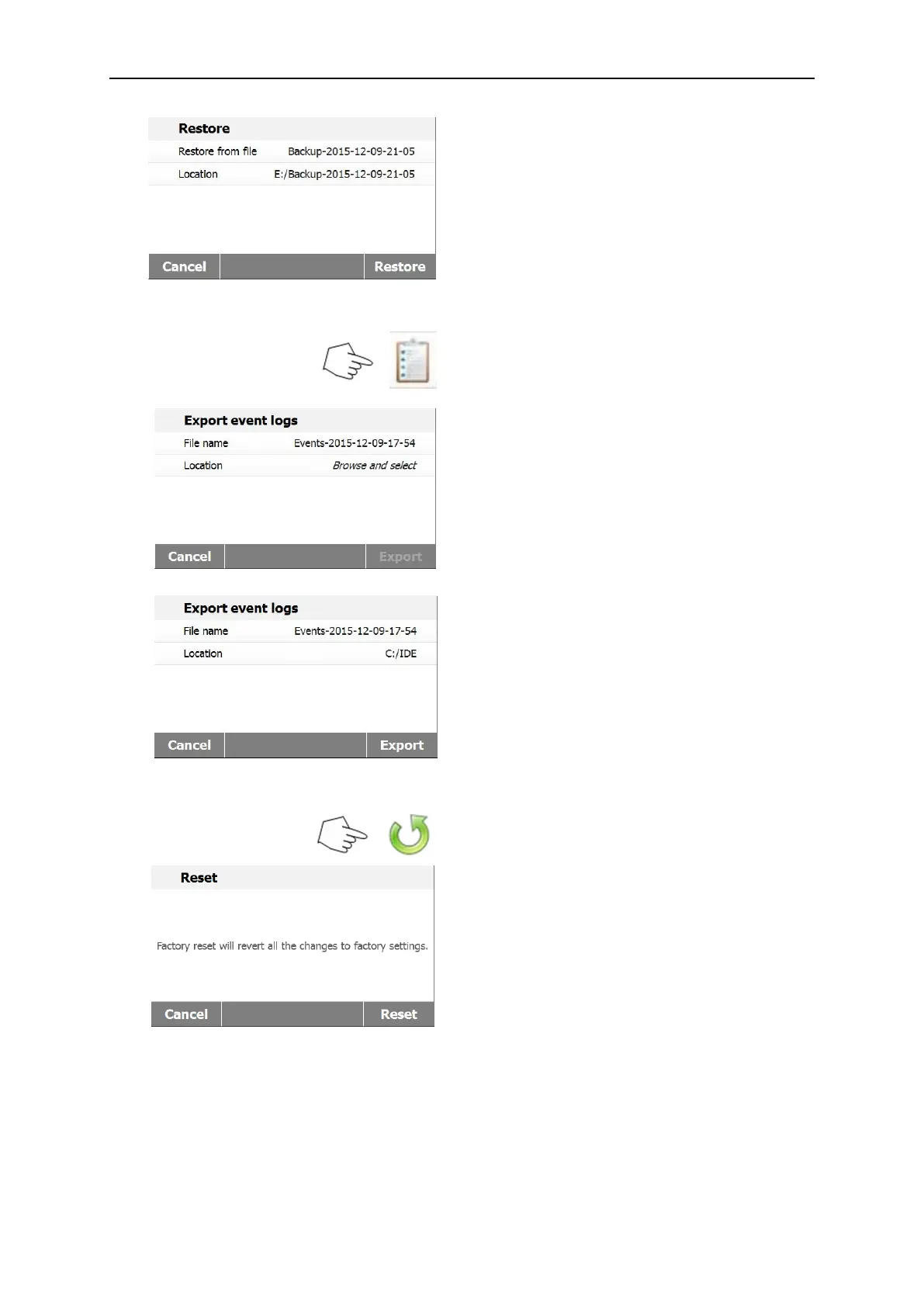
After select the restore file, the Restore
button is available.
Press Cancel the restore.
Press Restore to execute.
Press Export event logs to access the
export event logs menu.
Press File name to change file name.
Press Location to select the export location.
Press Cancel back to previous step.
After select the export location, the Export
button is available.
Press Cancel to cancel export.
Press Export to execute.
Press Factory reset button to reset to factory
default settings.
Press Cancel to return to previous screen
without resetting.
Press Reset to perform a reset.
CAUTION:
All methods and test results will be deleted
when performing a factory reset.



 To Next Page