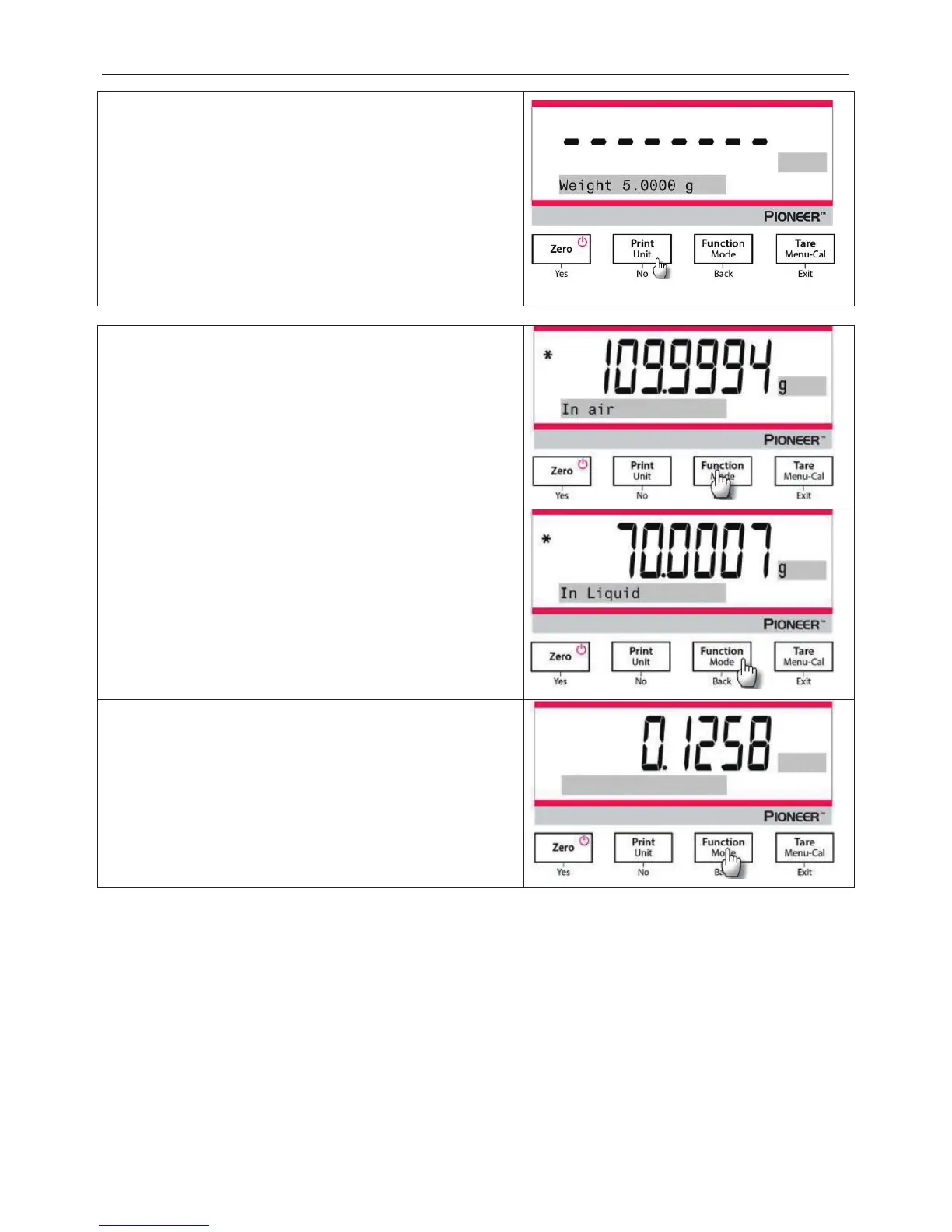
Set the following parameters by pressing
No
or
Back
:
x
Water Temperature
x
Weight
x
Oil Density
Measure the actual water temperature using a precision
thermometer.
The balance calculates water density based on
the water temperature value entered
.
Note: The weight of the sample and the density of oil must be
measured in advance.
1. Weigh the oiled sample in the air with the balance and the
density determination kit.
When the * (symbol of stability) appears, press the
Function / Mode
button to confirm the weight of
3. Weigh the oiled sample in the liquid with the balance and
the density determination kit.
When the * (symbol of stability) appears, press the
Function / Mode
button to confirm the weight of the
. The density of the sample is displayed.
5. After completion of the test, press the
Function / Mode
button to test a new sample.




 To Next Page