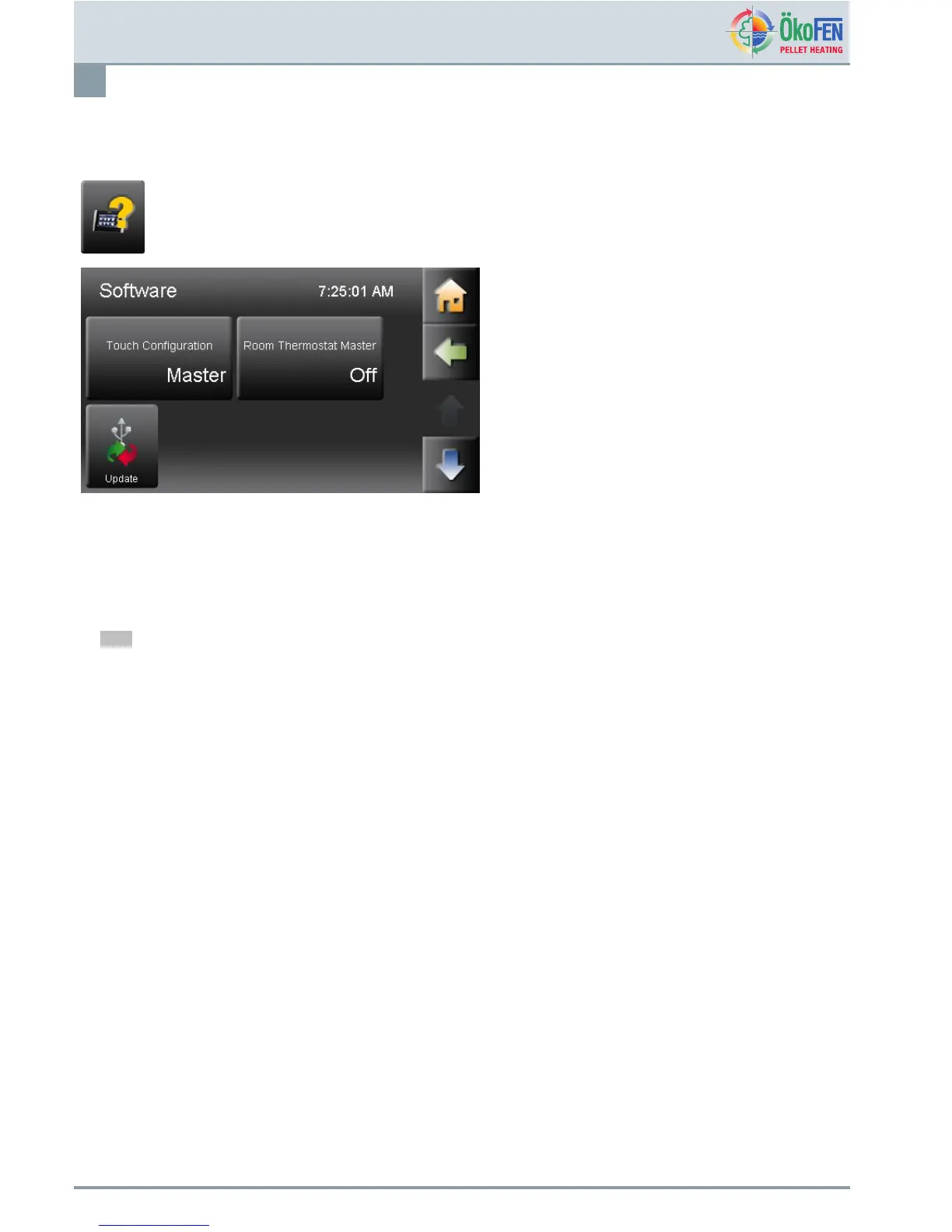
Software
52
19Software
SoftwareisintheMainmenu.
ContainsthesoftwareupdateoftheTouchheating
controller,theremotecontrolandtheboilercontroller,
aswellasthecongurationfromtheTouchasMaster
(Operatingdevice),andSlave(Remotecontrol)and
activationoftheroomthermostat.(Master)
19.1Conguration
TheTouchControlleriseitherMASTER(=Operatingdevice)orSLAVE(=Remotecontrol).
TheTouchcontrollerisstandardasMastercongured.Itmustthereforebeconguredlocallyinaccordancewiththeuse.
Note
OnlyoneTouchtobeconguredasMasterandoneasSlaveperheatingsystem
Procedure:
1.ChoosemenuitemSoftware
TouchConguration.
2.ChooseforeachRemotecontroltheCongurationSlaveandassignittoaheatingcircuit.
3.Waituntilallcomponentsarebootedupandoperational.
4.LearnPeriphery
Seecapitel20PeripheryLearning,page54
5.TheOperatingdeviceandtheassociatedRemotecontrollerarefunctionalnow.
19.2ActivatingthefunctionRoomthermostat
ThefunctionRoomthermostatMastercanbeactivatedonlyif:
•TheTouchOperatingdeviceisconguredasMASTER.
•TheTouchOperatingdeviceissituatedinthelivingspace.
ActivatetheintegratedroomthermostatMASTERbyassigningtheappropriatecircuit(HC1–6).
OperatingmanualPelletronicTouch
E1389EN2.0



 To Next Page