Software
53
19.3UpdateHeatingController,TouchOperatingdeviceandRemoteControl
Theupdateisfortheheatingcontroller,theTouchoperatingdeviceandtheTouchremotecontrol
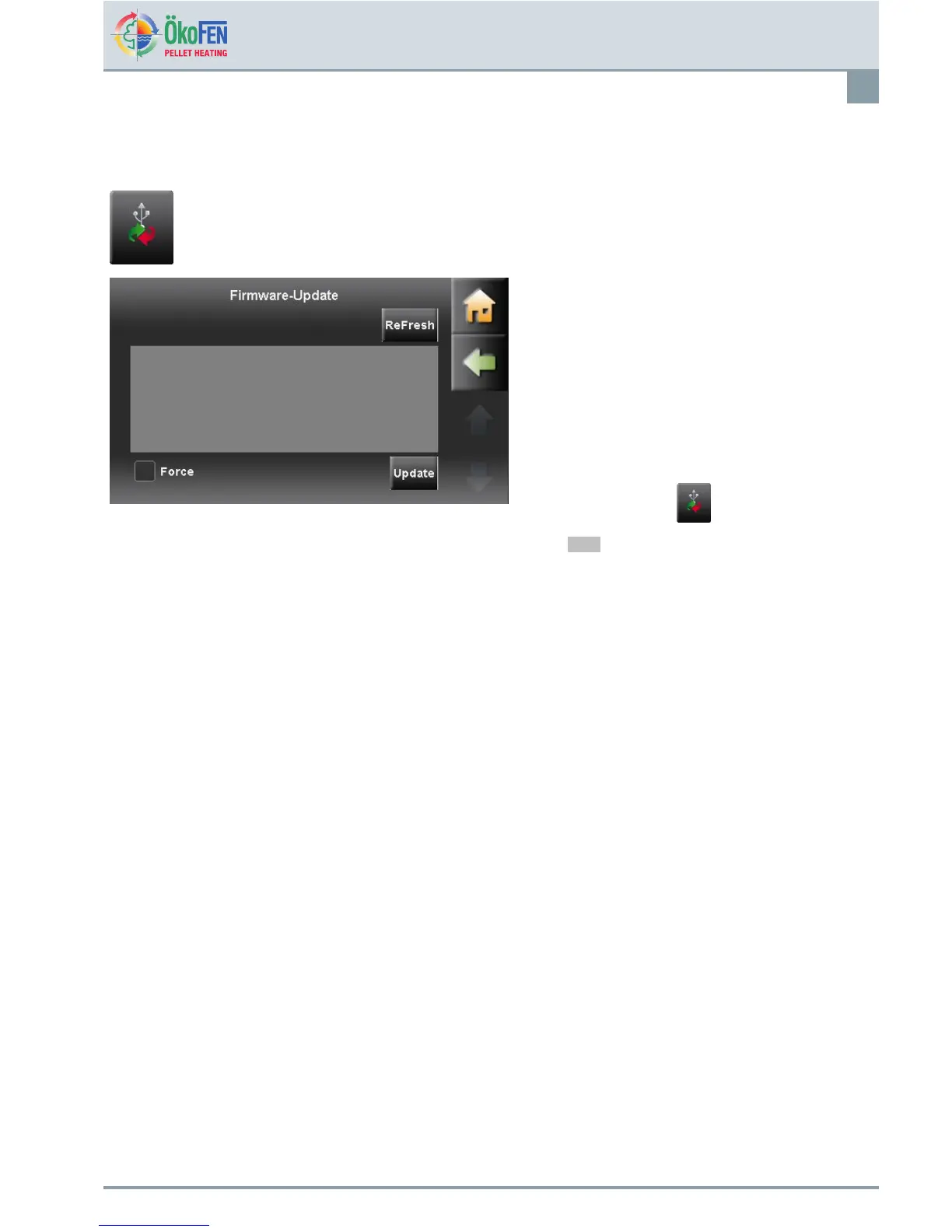
FirmwareUpdate—Approach:
1.Switchoffcompleteheatingsystem.
2.Takethetouchoperatingdeviceoutofthe
controlpanel.
3.PlugintheUSBashdrivewiththenew
softwareinthebackoftheslot:USB0ofthe
heatingcontroller.
4.Placethetouchoperatingdeviceinthecontrol
panel.
5.Switchontheheatingcontroller.
6.GototheCODEbutton,enterthecodeto
reachthelevelsettings.
7.GotothebuttonSoftware
8.ChooseUpdate
Note
IfyouhaveforgottentoinserttheUSBstick
-PresstheRefreshbutton(waitabout
1min)
9.Selecttheappropriatesoftware.
10.PresstheButtonUpdateandreplytothequery
withYES.
19.4SoftwareUpdate
Firstperformasoftwaredownload.IntheÖkoFENdownloadareaisalwaysthecurrentsoftwareavailablefor
downloading.
Link:http://ftp.pelletsheizung.at
Foraccessinformation,pleasecontactyourÖkoFENrepresentative.
E1389EN2.0
OperatingmanualPelletronicTouch



 To Next Page