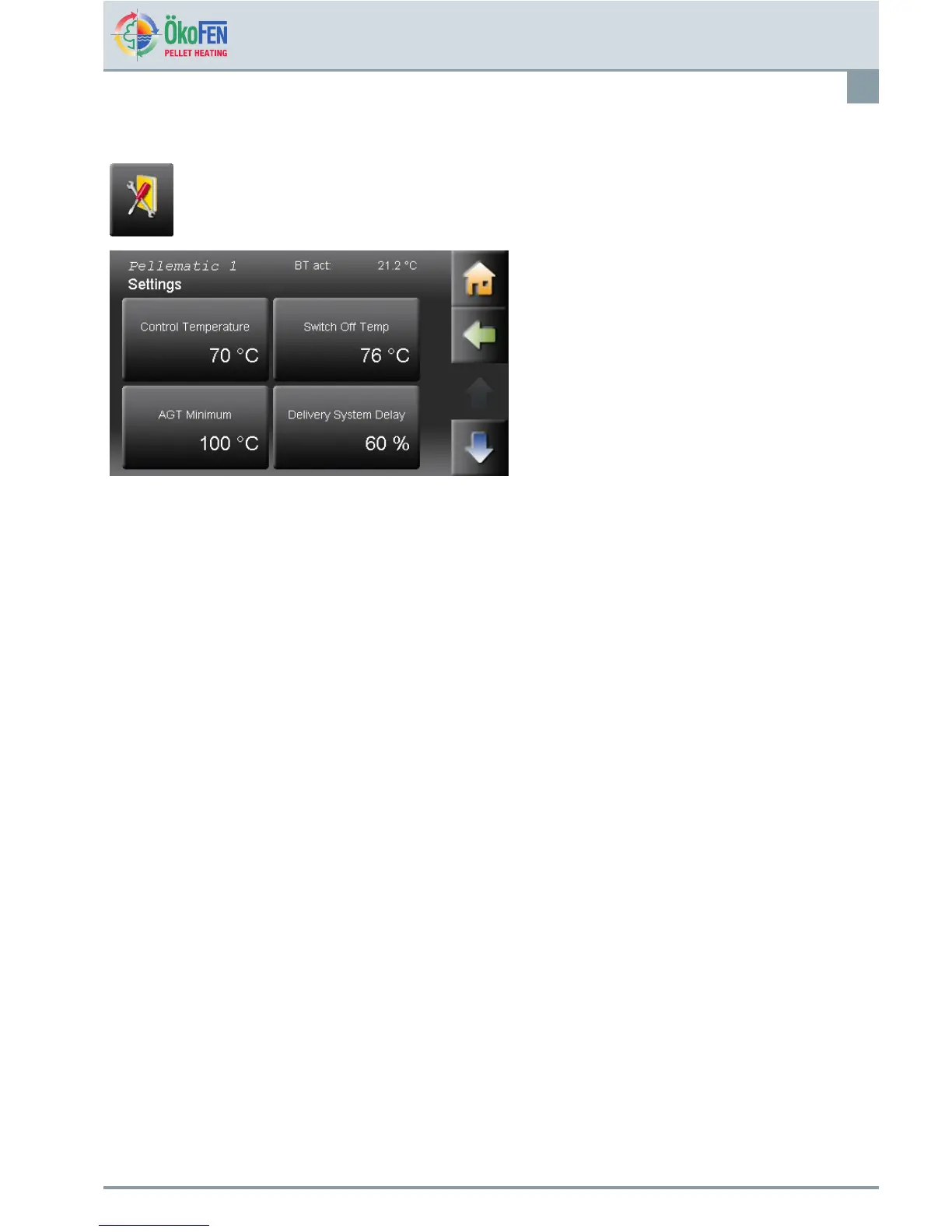
Pellematicsettings
79
27.9Settings
SettingsisinthePellematicmenu.
Settingshasfollowingmenuitems.
•ControlTemperature
•SwitchOffTemp
•AGTMinimum
•DeliverySystemDelay
•BurnerDemand
•MalfunctionMode
•HandFillingHopper
•CapacitiveSensorRAActive
•CapacitiveSensorZWActive
TheadditionalmenuitemsSettingsarefortheÖkoFENServicetechnician.Theyarepresentafterenteringthecode:
ControlTemperatureSettingtheboilertemperatureset.
SwitchOffTempReachingtheSwitchOffTemp,theboilerswitchesoff.
AGTMinimumAGTMinimumistoregulateoftheboilerperformance.
IftheFluegasminimumtemperaturefallsbelow,theboilerpowerincreases
independentlyoftheboilertemperature,
Displayedonlywithconnecteduegassensor.
DeliverySystemDelayDelayoftheDeliverySystemrelativetotheburnerauger–onlyonaugersystems.
BurnerDemand
Choosebetween2typesofregulatingtheburner:
Standard:Boilerrunsinaccordancewiththeburnerdemandoftheheatingcontroller.
Impuls:Boilerstartswhentheheatingcontrollersendsaone-timesignaland
switchesoffwhentheSwitchOffTemperatureisreached.
MalfunctionModeIfamalfunctionoccurs,theboilercontrollercontrolstherelayfaultsignal.
Thepotential-freecontact(OutputSM2019)displaysthemalfunctionsbyusingan
externaldisplaydevice.(1–230V).Youcanchoosethefollowingfunctions:
On/Off:BywarningAshorwarningPelletsthecontactcloses
1x:Ifamalfunctionoccurs,thecontactcloses–Closed
Bywarning"Ashboxfull"appearsaashingpulse.(Contactclosesonce)
blinc:
1Pulse=allothermalfunctions
2Pulses=onesensorisdefect
3Pulses=onemotorisdefect
4Pulses=Safetytemperaturesensororemergencystopswitchisdefect.
HandFillingHopper
Setting,ifPellematicisinstalledasaHandllinghopper.
0=inactive,1=active
E1389EN2.0
OperatingmanualPelletronicTouch



 To Next Page