3K5
1-5-2
1-5-2 Original feed section
(1) Detaching and refitting the DP forwarding pulley and DP feed pulley
Follow the procedure below to clean or replace the DP forwarding pulley or DP feed pulley.
Procedure
Removing the DP forwarding pulley
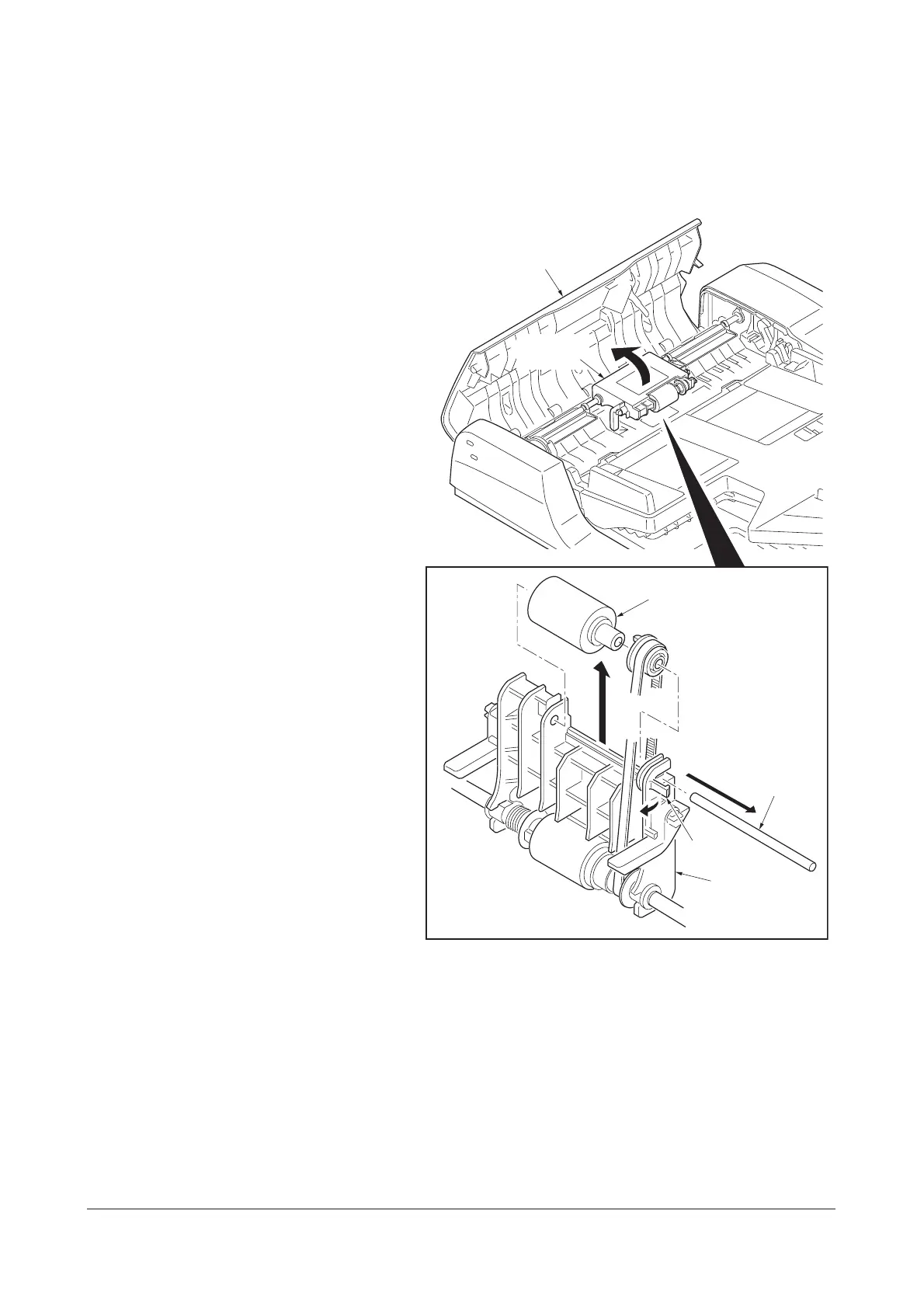
1. Open the document processor top cover.
2. Raise the DP feed pulley unit.
Release the claw holding the DP forwarding
pulley shaft and then pull out the shaft.
3. Remove the DP forwarding pulley.
Figure 1-5-1
DP forwarding pulley
Document processor
top cover
DP feed
pulley unit
DP feed
pulley unit
Claw
DP forwarding
pulley shaft
Service Manual Y108671-9










 To Next Page