3K5-2
1-6-3
1-6-3 Upgrading the firmware (DP-670(B)/models with color touch panel)
Follow the procedure below to upgrade the firmware.
Firmware upgrading requires the following tools:
USB memory
Procedure
1. Press the power key on the operation panel
to off. Make sure that the power indicator
and the memory indicator are off before
turning off the main power switch. And then
unplug the power cable from the wall outlet.
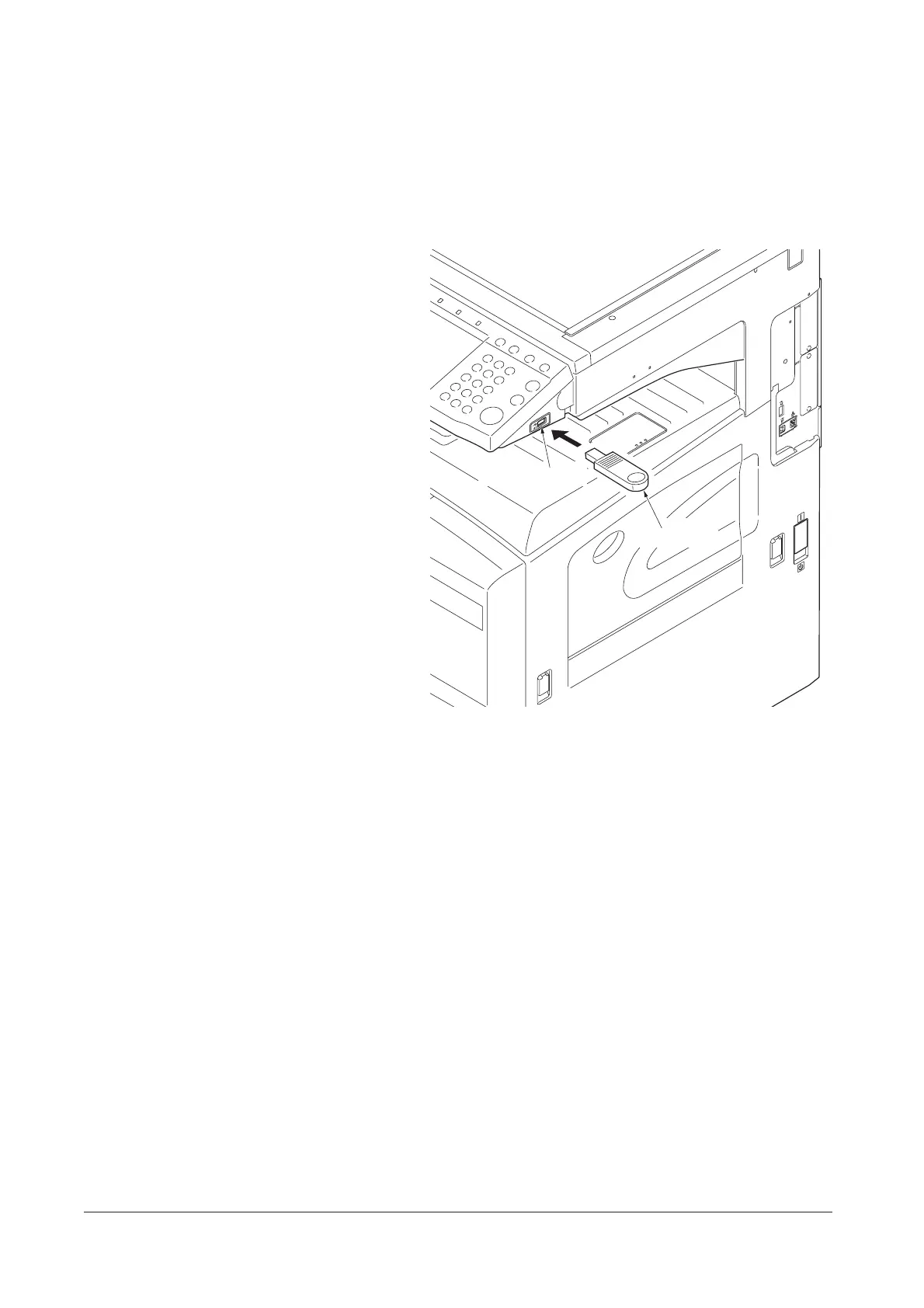
2. Insert the USB memory in the USB memory
slot.
Insert the power plug and turn the main
power switch on. Upgrading firmware starts.
Caution:
Never turn the main power switch off during
upgrading.
Figure 1-6-3
3. [100% Completed] is displayed on the touch
panel when upgrading is complete.
4. Press the power key on the operation panel
to off. Make sure that the power indicator
and the memory indicator are off before
turning off the main power switch. And then
unplug the power cable from the wall outlet.
5. Remove the USB memory from the USB
memory slot.
6. Insert the power plug and turn the main
power switch on.
USB memory
USB memory slot
Y108671-9 Service Manual










 To Next Page