23
ENGLISH
Registering Product Quantity Transactions
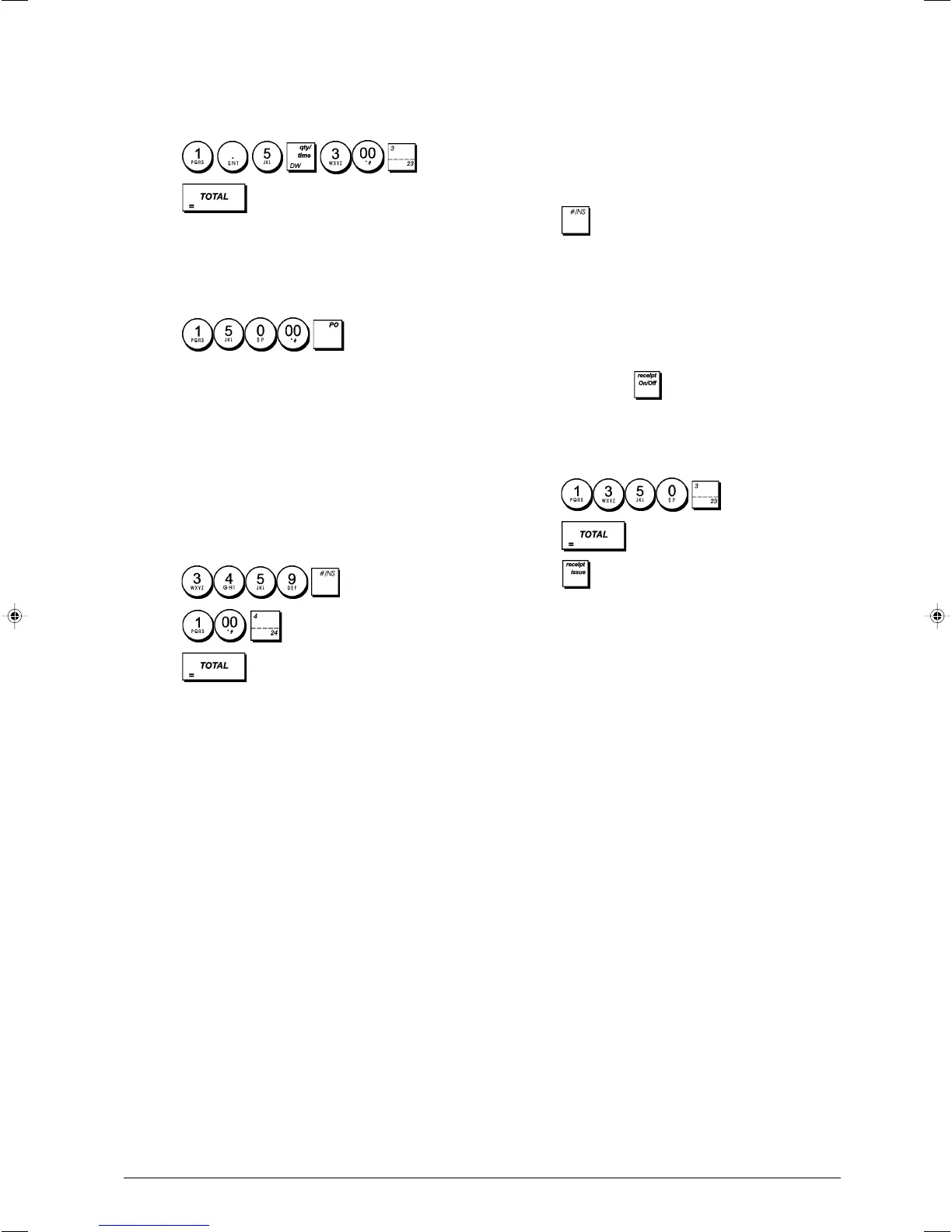
Example: Register the sale of 1.5 Kg of apples costing
£3.00 per kilogram to Department 3.
1. Press .
2. Press .
Paying Money Out
Up to 7 digits can be used for registering money paid out.
Example: Pay out £150.00.
1. Press
.
The cash drawer opens and the transaction is recorded on
receipt.
Registering an Identification Number
to a Transaction
Up to 7 digits can be used for the identification number. This
entry can be made prior to any operation. The identification
number is not added to the management report or totals.
Example: Assign the identification number 3459 to a
£1.00 sale to Department 4. Enter an exact cash tender
sale.
1. Press .
2. Press
.
3. Press .
Registering a No Sale
This operation opens the cash drawer and prints a no sale
receipt. The activity is registered to the activity counter in the
financial report.
If you do not want printing of No Sales receipts, change the
value of system option 42 to 1. See "System Options" for
details.
1. Press .
Issuing a Copy of the Last Sales Receipt
You can print a copy of the last receipt issued. For this
feature to be operational, system option 16 must be set to its
default value 0 (multiple receipts allowed). See "System
Options" for details.
NOTE: This feature overrides the non-print mode, if previously
activated, by pressing
outside of a transaction.
Example: Register a £13.50 sale to Department 3 and
enter an exact cash tender sale. Print a copy of the sales
receipt.
1. Press
.
2. Press
.
3. Press .















 To Next Page