41
EN
1
Exposure
Bulb shooting
You can take a picture with a bulb exposure time in which the shutter stays open as long as
you hold down the shutter button.
In M mode, set the shutter speed to [BULB].
• [BULB] is displayed.
To automatically end bulb shooting after a specified period of time:
j You can set the maximum time for bulb shooting. g“BULB TIMER” (P. 103)
To fix the focus during manual focus shooting:
j You can fix the focus so the focus does not change even if the focus ring is turned during
exposure. g“BULB FOCUSING” (P. 94)
x Notes
• The following functions are not available during bulb shooting.
Sequential shooing/self-timer shooting/AE bracket shooting/image stabilizer/flash bracketing
You can check the focused area (depth of field) with the selected aperture value on the LCD
monitor.
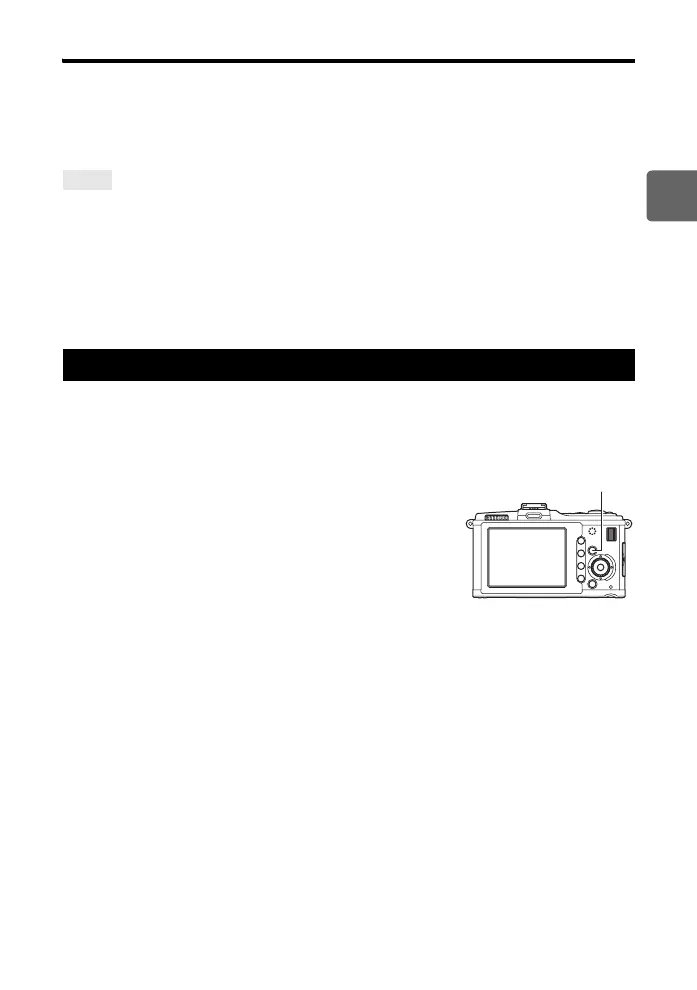
For the preview function to work by pressing the < button, it is necessary to set the function
of the < button on the menu beforehand. g“; FUNCTION” (P. 97)
Press the < button to use the preview function.
TIPS
Preview function
< button
s0026_e_00_0_unified.book Page 41 Tuesday, September 29, 2009 10:30 AM



 To Next Page