93
EN
7
Customizing your camera
7 Customizing your camera
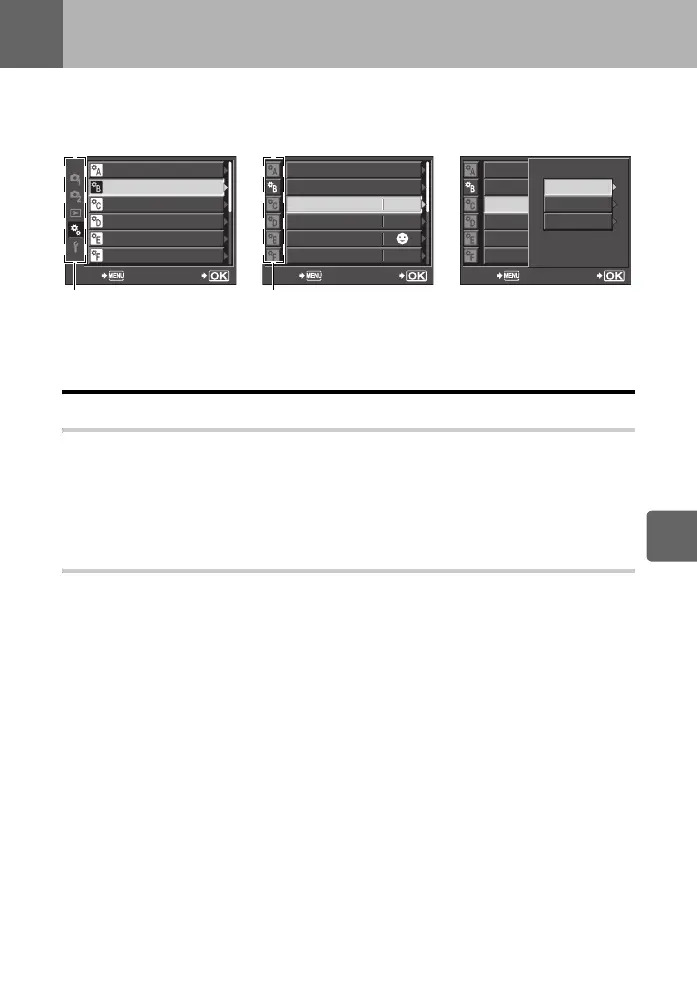
Use the Custom Menu to customize the shooting functions. The Custom Menu has 9 tabs (R
to Z) that are divided according to the functions to be set.
In the default setting, the Custom Menu is not displayed. To customize the functions, set
[cMENU DISPLAY] in the Setup Menu to [ON] to display the Custom Menu. (gP. 21)
For details on using the menu lists, see “Menu” (
g
P. 20).
R AF/MF
AF MODE gP. 49
Select the focus mode to suit the subject.
The [S-AF] mode is suitable for still objects and slow-moving subjects, the [C-AF] mode is
suitable for subjects that constantly move close to and away from the camera, the [MF] mode
is for manually focusing on subjects, the [S-AF+MF] mode is for automatically focusing on
subjects and fine-adjusting with the focus ring, and the [C-AF+TR] mode is for focusing on
subjects while tracking their movement.
AF AREA gP. 52
Select either B (all target AF mode) for performing AF using all AF targets or M (single
target AF mode) for performing AF centering around a selected point.
AF/MF
BUTTON/DIAL
RELEASE
DISP/8/PC
EXP/
e
/ISO
#
CUSTOM
SETBACK
DIAL FUNCTION
DIAL DIRECTION
OFF
AEL/AFL
AEL/AFL MEMO
;
FUNCTION
S1/C2/M1
SET
---
BACK
7
FUNCTION
OFF
S1/C2/M1
DIAL FUNCTION
DIAL DIRECTION
AEL/AFL
AEL/AFL MEMO
;
FUNCTION
SET
BACK
7
FUNCTION
AEL/AFL
C-AF
MF
S-AF
Use fg to select [c], then
press i.
Use fg to select tab R to
Z, then press i.
Use fg to select a function,
then press i.
s0026_e_00_0_unified.book Page 93 Tuesday, September 29, 2009 10:30 AM



 To Next Page