67
EN
3
Record mode, white balance, and picture mode
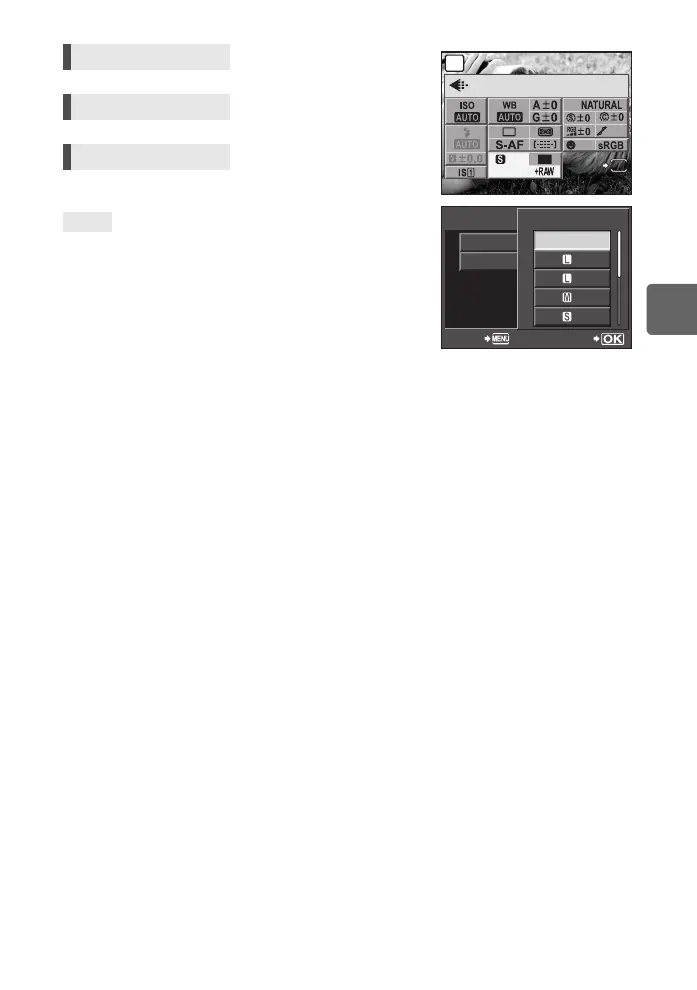
To quickly set the record mode:
j By setting [RAWK] to the < button, you can turn the main
dial while pressing the < button to change the record
mode.
Each time you press the < button, you can easily switch
between JPEG data only and JPEG and RAW data.
g“; FUNCTION” (P. 97)
To find out the file size/number of storable still pictures for
each record mode:
j “Record mode and file size/number of storable still pictures” (gP. 137)
Live control ij: [K]
Super control panel iINFOk: [K]
Menu MENU[W][K]
[STILL PICTURE]
TIPS
mall
Super Fine
OFF
250
250
F5.6
38
P
4
:
3
NORM
LIVE
INFO
j
STILL PICTURE
MOVIE
K
SET
BACK
STILL PICTURE
F
N
N
N
RAW
s0026_e_00_0_unified.book Page 67 Tuesday, September 29, 2009 10:30 AM



 To Next Page