2 Installation and connection
2-2 Installation
BU5002R/BU3002R/BU3002RH
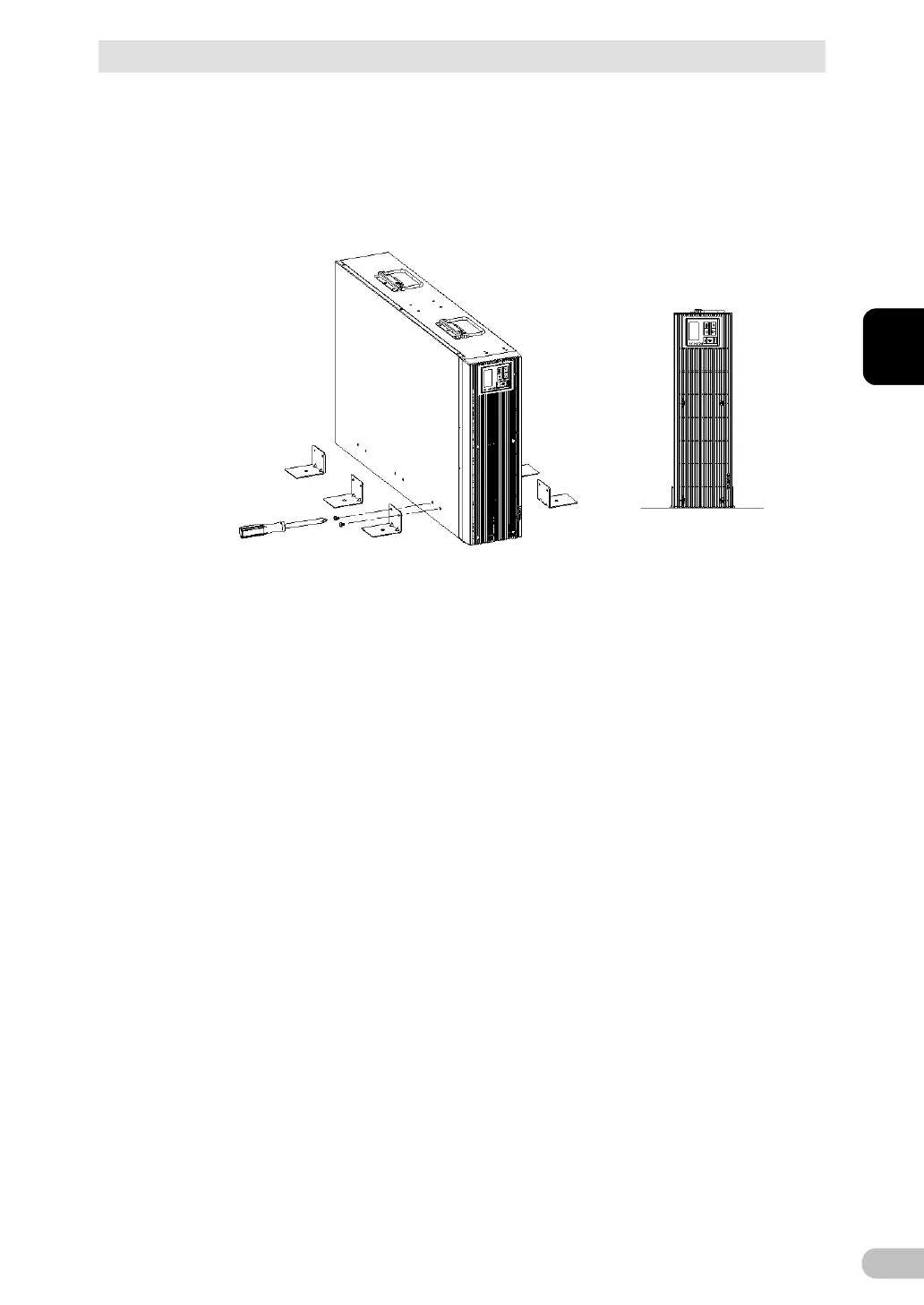
Install the stands for vertical layout (6 in total) using the provided 12 screws at 3
positions on the right and left side faces. (See the figure below)
Also be sure to fix the stands for vertical layout to the floor surface with bolts.
The hole diameter for fixing the stands for vertical layout to the floor surface is 8
mm. The bolts are to be provided by the customer.
After fixing, install the battery. See “4-4 Replacing the battery” for the installation
procedure.
Remove the battery. See “4-4 Replacing the battery” for the procedure for
removing the battery.
Stand the UPS upright. See “2-2 Installation” for the installation orientation.
Be careful not to overturn the UPS without a battery because the center of gravity
of the UPS is shifted upward.



 To Next Page