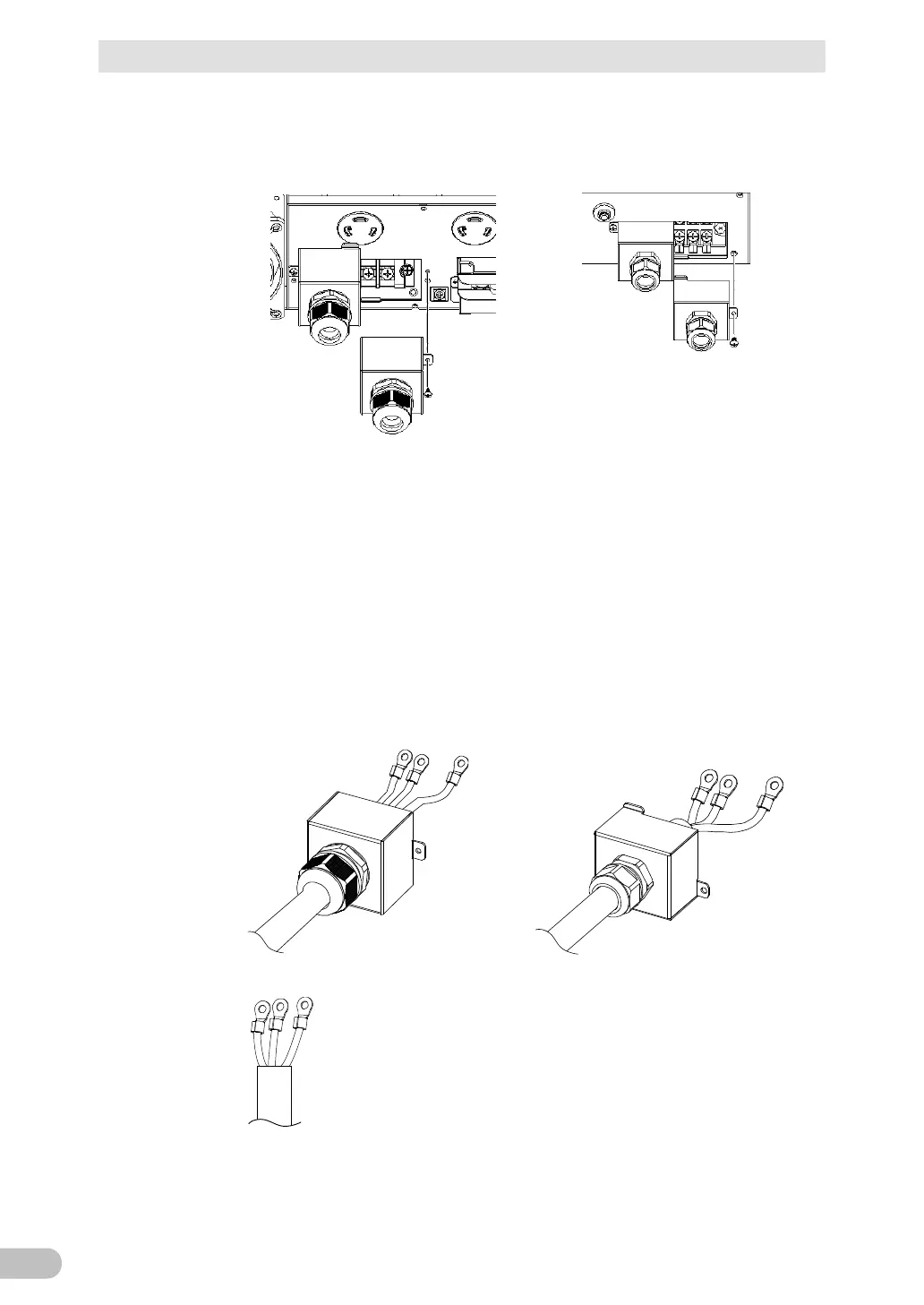
There is a cap attached to the cable clamp of the terminal block cover, so remove
the cap by pressing with a screwdriver or the like, to form a hole through which
the wires can pass.
Pass the wires to be connected through the cable clamp hole on the terminal
block cover. (See Figure 1)
If the wires are difficult to pass, turn the plastic part on the cable clamp
counterclockwise to loosen it.
Crimp the specified round terminal onto each wire and tighten it using the screw
on the terminal block. (See Figure 2)
Figure 1



 To Next Page