4-6
4-1 Monitor Mode
4
Functions
Position Command Monitor (Absolute Position Control Mode) [d029]
You can monitor a position command in absolute position control mode.
Note:
This monitor is enabled only when V2 control mode selection P012 is set to "02" or "03" in
sensor vector control mode.
Current Position Monitor (Absolute Position Control Mode) [d030]
You can monitor the current position in absolute position control mode.
Note:
This monitor is enabled only when V2 control mode selection P012 is set to "02" or "03" in
sensor vector control mode.
Fault Frequency Monitor [d080]
Displays the number of times the Inverter has tripped.
(Display)
0. to 9999. : Displays in increments of 1 time.
1000 to 6553 : Displays in increments of 10 times.
Fault Monitors 1 to 6 [d081] to [d086]
Displays the details of the last six trips.
The most recent trip is displayed on trip monitor 1.
(Display)
(1) Factor (Displays any of E01 to E79.)
*
(2) Output frequency (Hz) at the time of tripping
(3) Output current (A) at the time of tripping
(4) Main circuit DC voltage (V) at the time of tripping
(5) Total RUN time (h) before the trip
(6) Total power ON time (h) before the trip
* Refer to "Error Code List" (page 5-1).
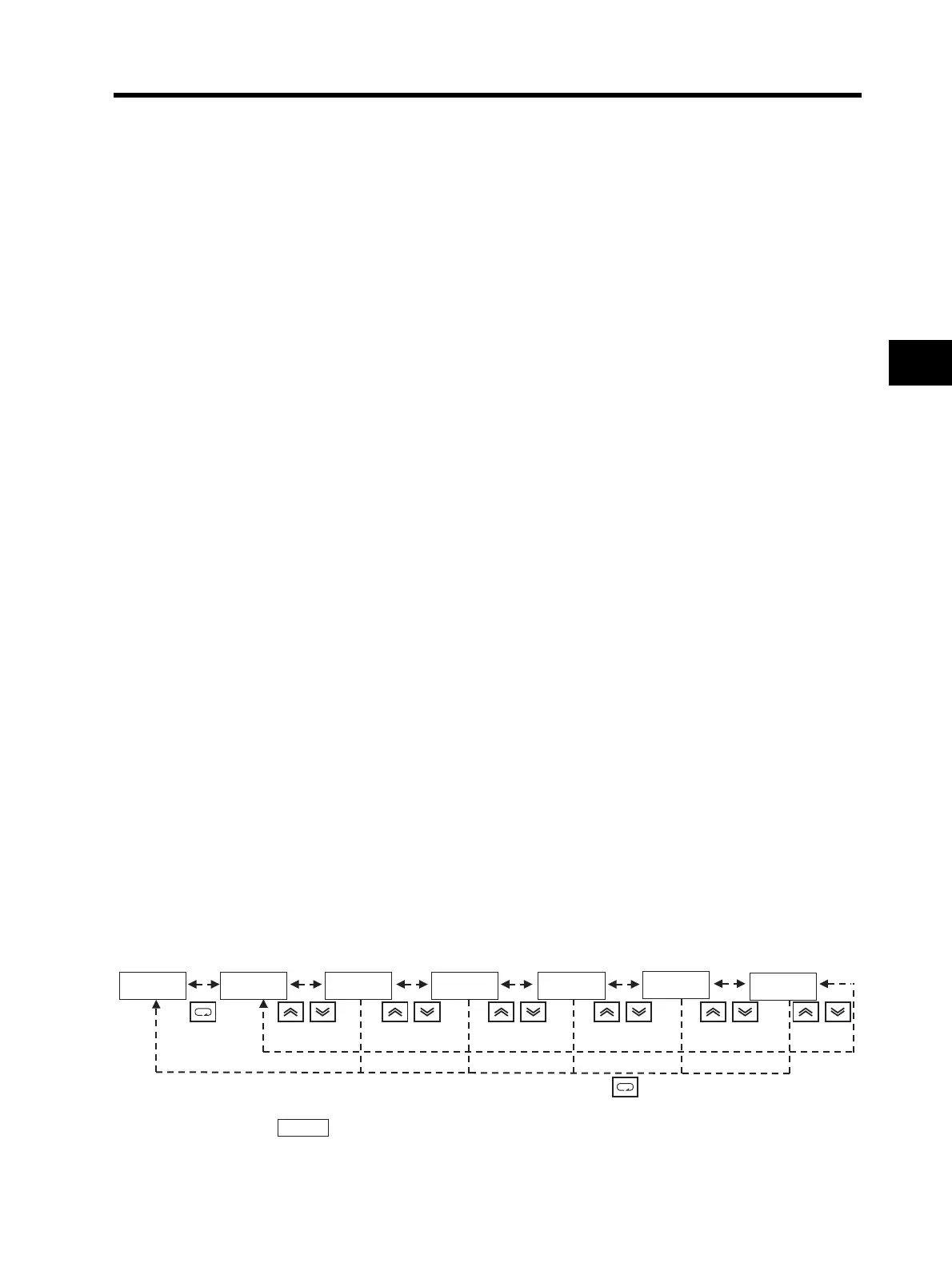
(Trip Monitor Display Sequence)
* Displays if there has been no trip.
dk0k8k1 ek0k7.2 6k0.0k0 4.0k0 4k0k0.2 1k5.
1k8.
(1) Trip factor
*
(2) Trip frequency (3) Trip current (4) Trip main circuit
DC voltage
(5) Total RUN time (6) Power ON time












 To Next Page