2-9
2-2 Wiring
2
Design
Terminal
symbol
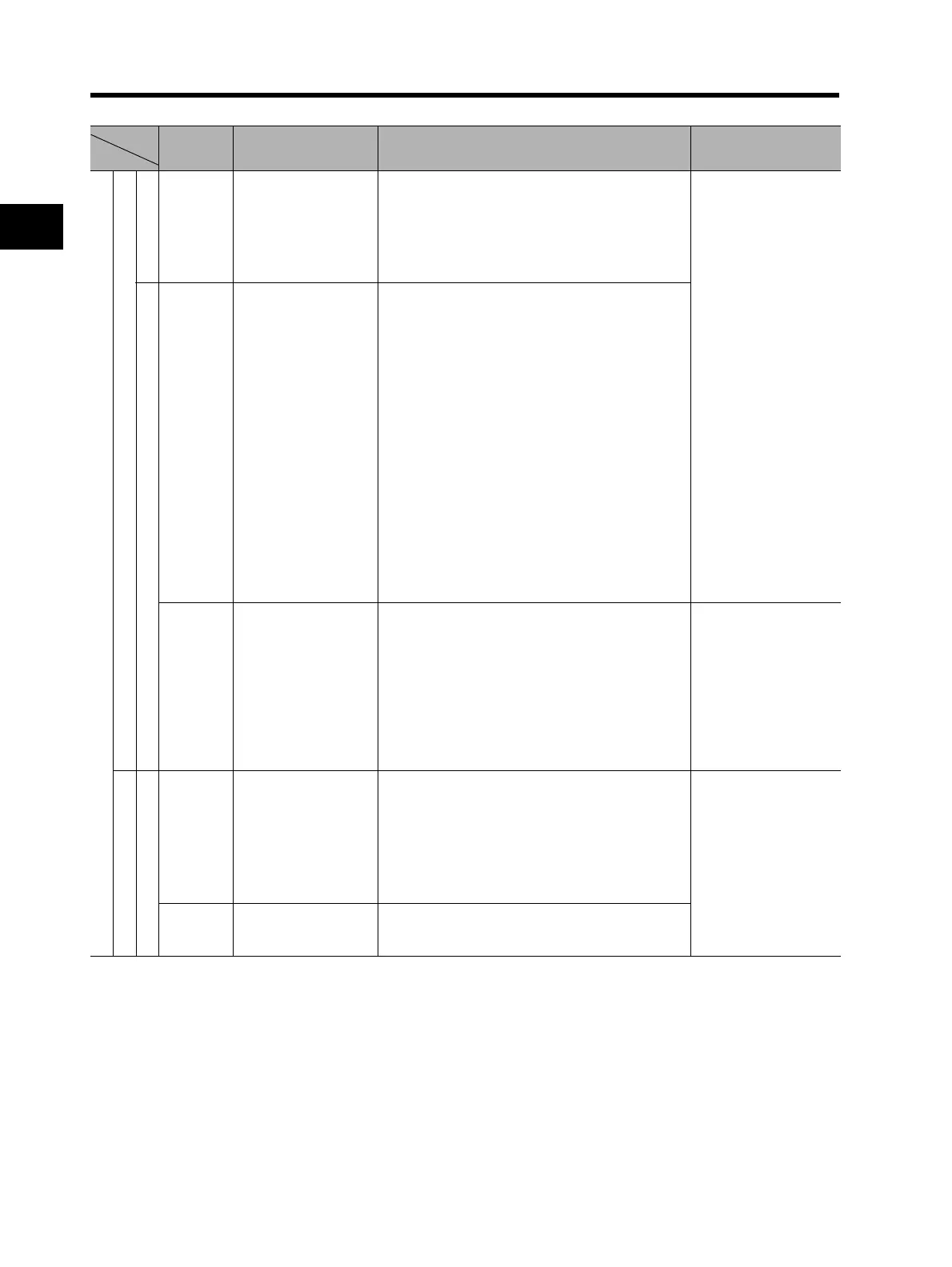
Terminal name Description Specifications
Digital (contact)
Contact input
RUN command
FW Forward rotation
command terminal
When the FW signal is ON, the motor runs
forward. When it is OFF, the motor decelerates
and stops.
[Contact input ON
condition]
Voltage between
each input terminal
and the PSC
terminal: 18 V DC or
more
Input impedance
between each input
terminal and the PSC
terminal: 4.7 kΩ
Allowable max.
voltage:
Voltage between
each input terminal
and the PSC
terminal: 27 V DC
Load current at 27 V
DC power supply
voltage:
Approx. 5.6 mA
Function / Selection
S1
S2
S3
S4
S5
S6
S7
S8
Multi-function input Select 8 functions from among the 61 functions
and allocate them to terminals S1 to S8.
Note: Only terminals S1 and S3 can be used for
the emergency shutoff function. For
details, refer to "Emergency Shutoff
Function" (page 2-10).
PSC Multi-function input
common
The sink and source logic for contact input can
be switched by connecting a short-circuit bar on
the control terminal block.
Short-circuiting P24 and SC ⇒ Sink logic,
Short-circuiting SC and PSC ⇒ Source logic
To activate contact input via an external power
supply, remove the short-circuit bar and
connect PSC terminal to the external interface
circuit.
Open collector output
Status / Factor
P1
P2
P3
P4
P5
Multi-function output Select 5 functions from among 45, and allocate
them to terminals P1 through P5.
If an alarm code is selected in C062, terminals
P1 to P3, or terminals P1 to P4 always output an
alarm factor code (e.g. Inverter trip). The signal
between each terminal and PC always
corresponds to the sink or source logic.
Between each
terminal and PC
Voltage drop 4 V
max. at power-on
Max. allowable
voltage: 27 V DC
Max. allowable
current: 50 mA
PC Multi-function output
common
Common terminals for multi-function output
terminals P1 to P5.
Continued to the next page












 To Next Page