112 Infotainment system
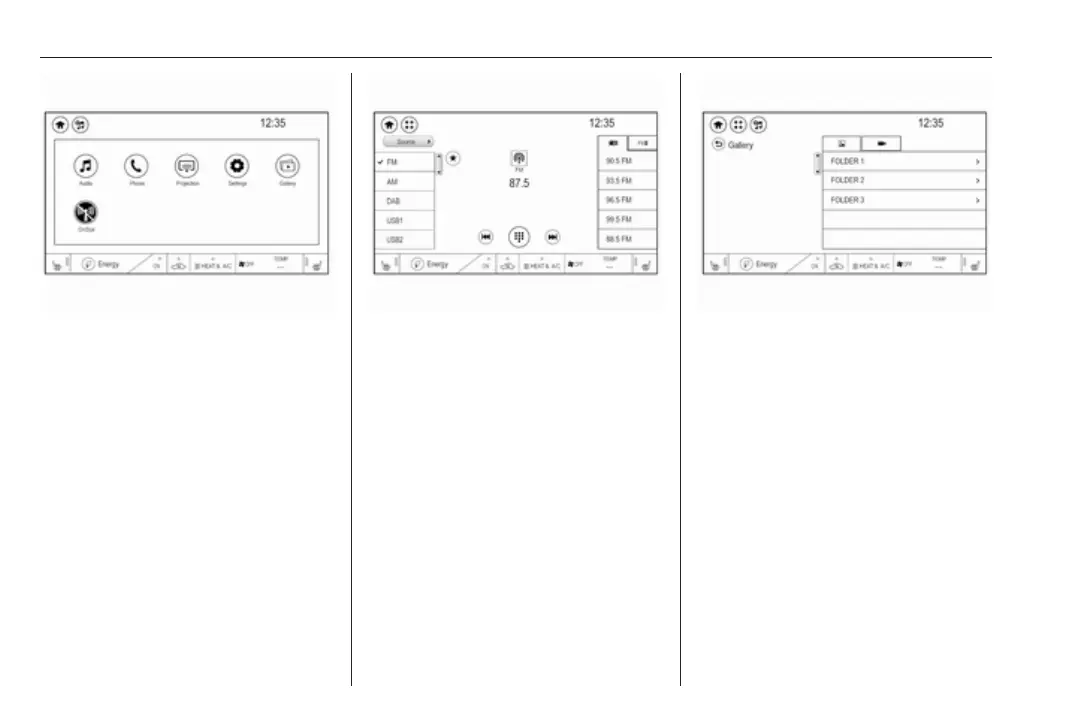
Audio
Select Audio to open the main menu
of the last selected audio mode.
Select Source on the screen to
display the source list.
To change to another audio mode:
touch one of the items in the list.
For a detailed description of:
● Radio functions 3 120
● External devices (USB,
Bluetooth, iPod, AUX) 3 128
Gallery
Select Gallery to open the picture and
movie menu for files stored on a USB
device.
Select y or z to display the picture
or movie menu. Select the desired
picture or movie file to show the
respective item on the display.
For a detailed description of:
● Picture functions 3 130
● Movie functions 3 131
Phone
Before the phone portal can be used,
a connection has to be established
between the Infotainment system and
the mobile phone.
For a detailed description of
preparing and establishing a
Bluetooth connection between the
Infotainment system and a mobile
phone 3 134.



 To Next Page