116 Infotainment system
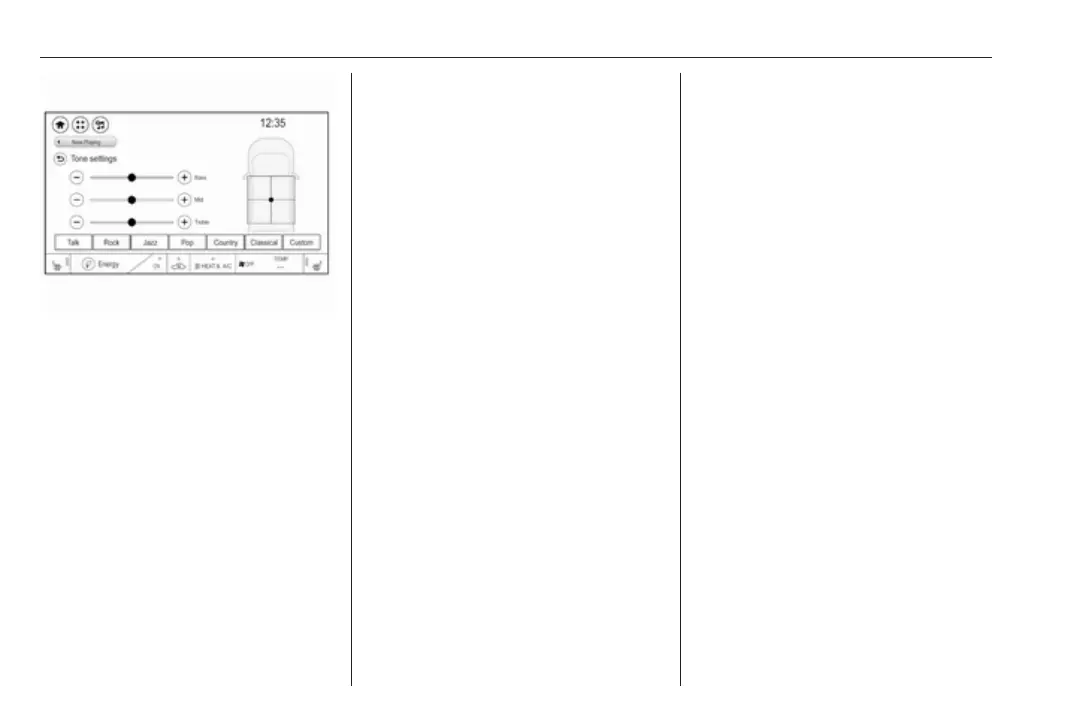
Bass
Use this setting to enhance or
attenuate the deep frequencies of the
audio sources.
Touch + or - to adjust the setting.
Mid
Use this setting to enhance or
attenuate the midrange frequencies
of the audio source.
Touch + or - to adjust the setting.
Treble
Use this setting to enhance or
attenuate the high frequencies of the
audio sources.
Touch + or - to adjust the setting.
Balance and fader
Use the illustration at the right side of
the menu to adjust balance and fader.
To define the point in the passenger
compartment where the sound is at its
highest level, touch the
corresponding point in the illustration.
Equaliser mode
Use this setting to optimise the tone
for the style of music, e.g. Rock or
Classical.
Activate the desired sound style. If
you choose Custom, you can
manually adjust the tone settings.
BOSE premium audio
If the system is equipped with BOSE
premium audio, only two equaliser
settings are available.
Activate Talk if you want the tone
settings to be adjusted automatically.
Activate Custom if you want to adjust
the tone settings manually.
Volume settings
Maximum startup volume
Press p and then select 1 in the top
left corner of the screen to display the
application overview screen.
Select Settings, Radio settings and
then Maximum start-up volume.
Touch + or - to adjust the setting.
Speed compensated volume
The volume can be automatically
adjusted according to the speed
noise level of the vehicle.
Press p and then select 1 in the top
left corner of the screen to display the
application overview screen.
Select Audio and then activate the
desired audio source. Select Menu
and activate the Audio settings tab.
Select Auto volume to display the
respective submenu.



 To Next Page