Driving and operating 187
Display settings
Brightness and contrast can be set by
touching the touch screen display
when rear view camera is active.
Deactivation
The camera is switched off when a
certain forward speed is exceeded or
if reverse gear is not engaged for
approx. 15 seconds. Rear view
camera can be manually deactivated
in the vehicle personalisation menu in
the Info display. Select the relevant
setting in Settings, I Vehicle.
Deactivation of guiding lines and
warning symbols
Activation or deactivation of the visual
guiding lines and the warning
symbols can be changed in the
Settings menu in the Info display.
Select the relevant setting in Settings,
I Vehicle.
Info display 3 86.
Vehicle personalisation 3 92.
Fault
Fault messages are displayed with a
9 on the Driver Information Centre.
The rear view camera may not
operate properly when:
● The surrounding is dark.
● The sun or the beam of
headlights is shining directly into
the camera lens.
● Ice, snow, mud, or anything else
covers the camera lens. Clean
the lens, rinse it with water, and
wipe it with a soft cloth.
● The vehicle had a rear end
accident.
● There are extreme temperature
changes.
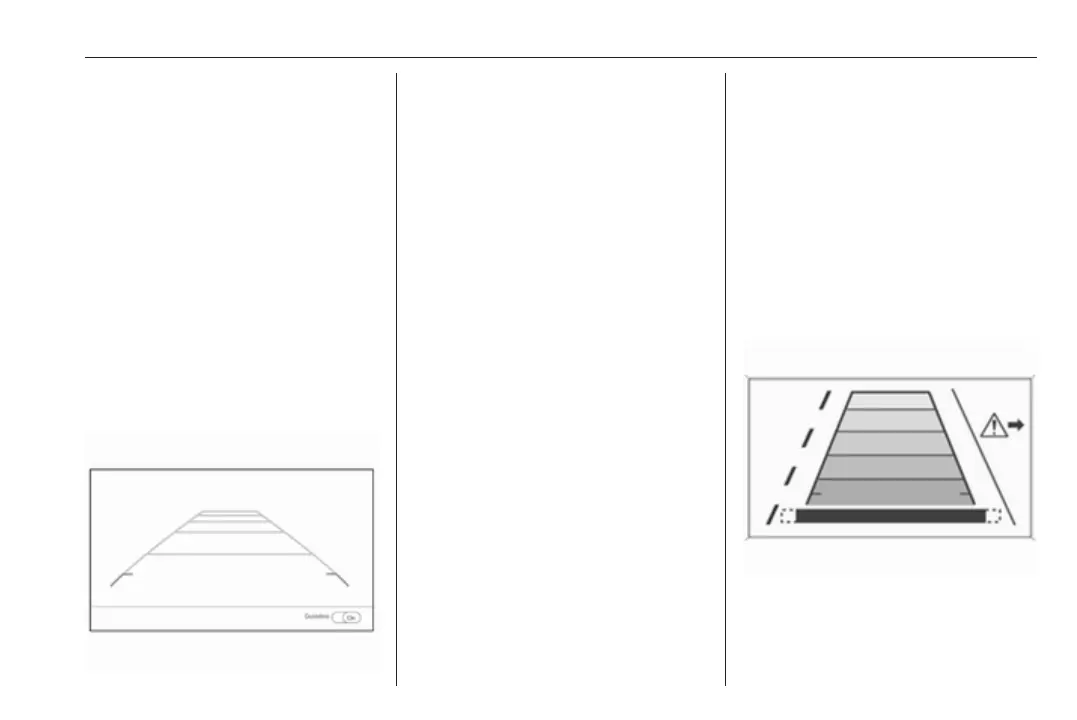
Rear cross traffic alert
Additional to the rear view camera
3 185, rear cross traffic alert warns of
cross traffic from left or right side
when reversing. When cross traffic is
recognised and the rear view camera
is activated, a warning triangle with a
direction arrow K appears on the
Info display, showing the direction of
the traffic. Furthermore, three beeps
will sound from the speaker on the
respective side.
The radar distance sensors are
located sideways in the rear bumper.



 To Next Page