Infotainment system 125
linking in the DAB menu (see
below).
● Interference caused by stations
that are on nearby frequencies (a
phenomenon that is typical of AM
and FM reception) does not
occur with DAB.
● If the DAB signal is reflected by
natural obstacles or buildings,
the reception quality of DAB is
improved, whereas AM or FM
reception is considerably
impaired in such cases.
● When DAB reception is enabled,
the FM tuner of the Infotainment
system remains active in the
background and continually
searches for the FM stations with
the best reception. If TP 3 123 is
activated, traffic announcements
of the FM station with the best
reception are issued. Deactivate
TP if DAB reception should not
be interrupted by FM traffic
announcements.
DAB announcements
Besides their music programmes, a
lot of DAB stations also broadcast
announcements of various
categories. If you activate some or all
categories, the currently received
DAB service is interrupted when an
announcement of these categories is
made.
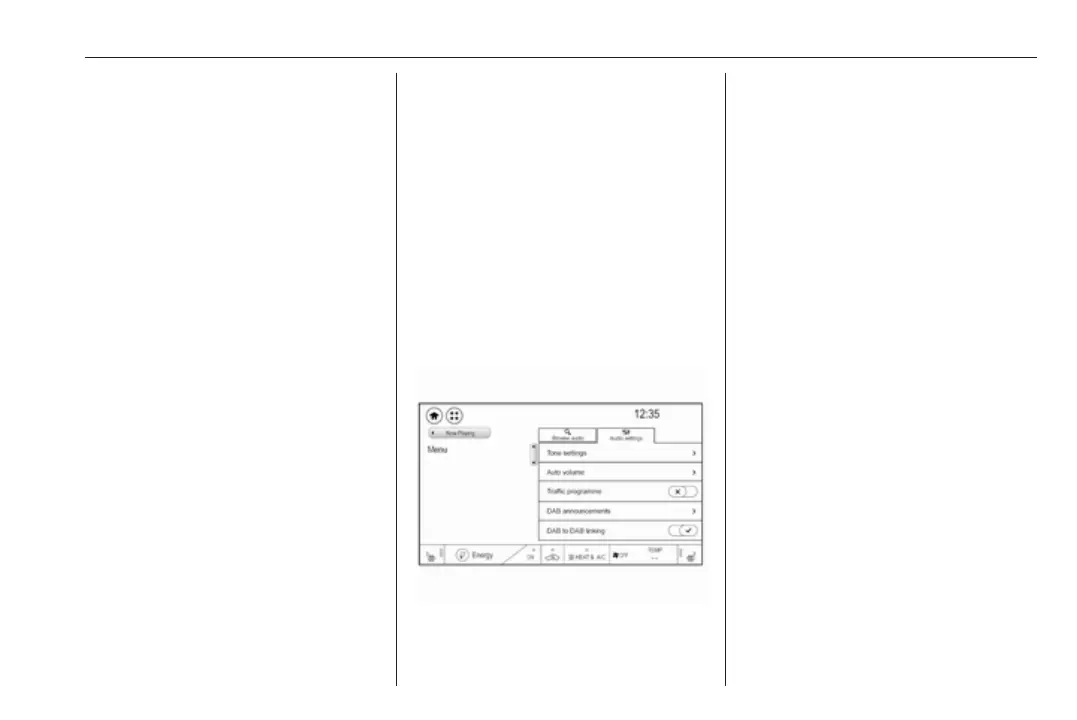
Activate the DAB waveband. Select
Menu to open the corresponding
waveband-specific submenu and
then select the Audio settings tab.
Select DAB announcements to
display a list of the categories
available.
Activate all or just the desired
announcement categories. Different
announcement categories can be
selected at the same time.
DAB to DAB linking
If this function is activated, the device
switches over to the same service
(programme) on another DAB
ensemble (if available) when the DAB
signal is too weak to be picked up by
the receiver.
Select Menu to open the
corresponding waveband-specific
submenu and then select the Audio
settings tab.
Activate or deactivate DAB to DAB
linking.
DAB to FM linking
If this function is activated, the device
switches over to a corresponding FM
station of the active DAB service (if
available) when the DAB signal is too
weak to be picked up by the receiver.



 To Next Page