Infotainment system 135
Pairing a device
Important information
● Up to ten devices can be paired
to the system.
● Only one paired device can be
connected to the Infotainment
system at a time.
● Pairing only needs to be carried
out once, unless the device is
deleted from the list of paired
devices. If the device has been
connected previously, the
Infotainment system establishes
the connection automatically.
● Bluetooth operation considerably
drains the device's battery.
Therefore, connect the device to
the USB port for charging.
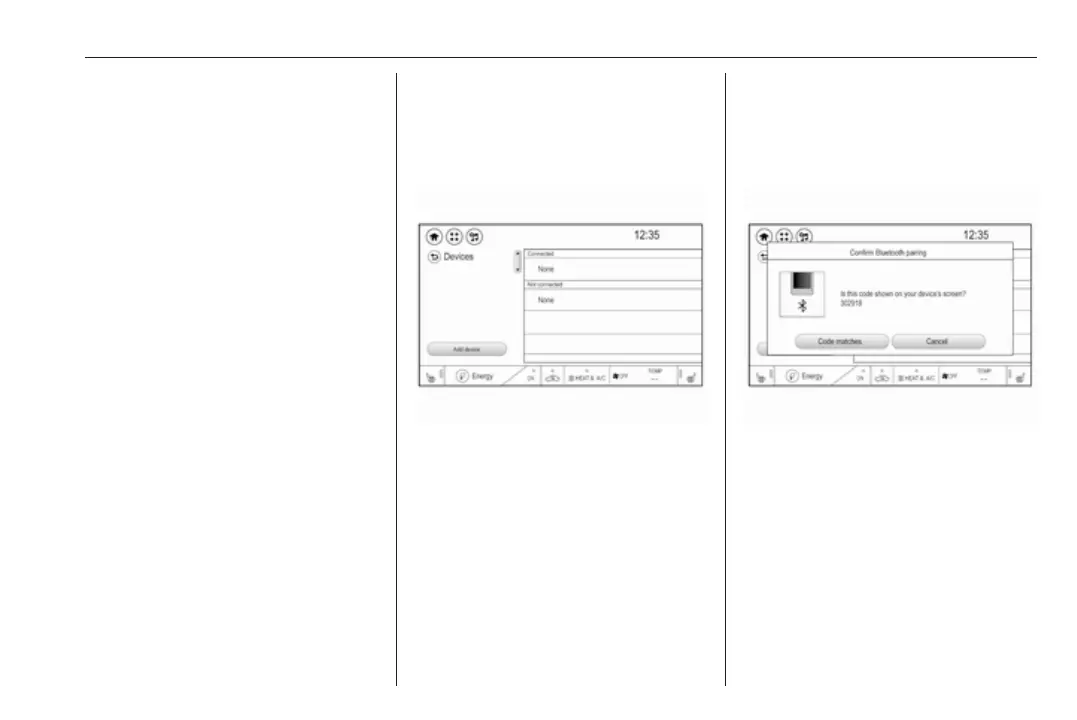
Pairing a new device
1. Activate the Bluetooth function of
the Bluetooth device. For further
information, see the operating
instructions for the Bluetooth
device.
2. Press p and then select 1 in the
top left corner of the screen to
display the application overview
screen.
Select Phone on the display of the
Infotainment system. The
Devices menu is displayed.
Note
The Devices menu can also be
accessed via the settings menu:
Press p and then select 1 in the top
left corner of the screen to display
the application overview screen.
Select Settings. Scroll through the
list and select Devices.
3. Touch Add device. All
discoverable Bluetooth devices in
the environment are displayed in
a new search list.
4. Select the device name of the
Bluetooth device you wish to pair.
5. Confirm the messages on the
Bluetooth device and the
Infotainment system.
6. The Infotainment system and the
device are paired.
Note
If the Bluetooth device is
successfully paired, ? next to the
Bluetooth device indicates that the
phone function is enabled and >
indicates that the Bluetooth music
function is enabled.
7. The phone book is downloaded
automatically to the Infotainment



 To Next Page