166 Driving and operating
The driver can only accelerate up to
the preset speed. Deviations from the
limited speed may occur when driving
downhill.
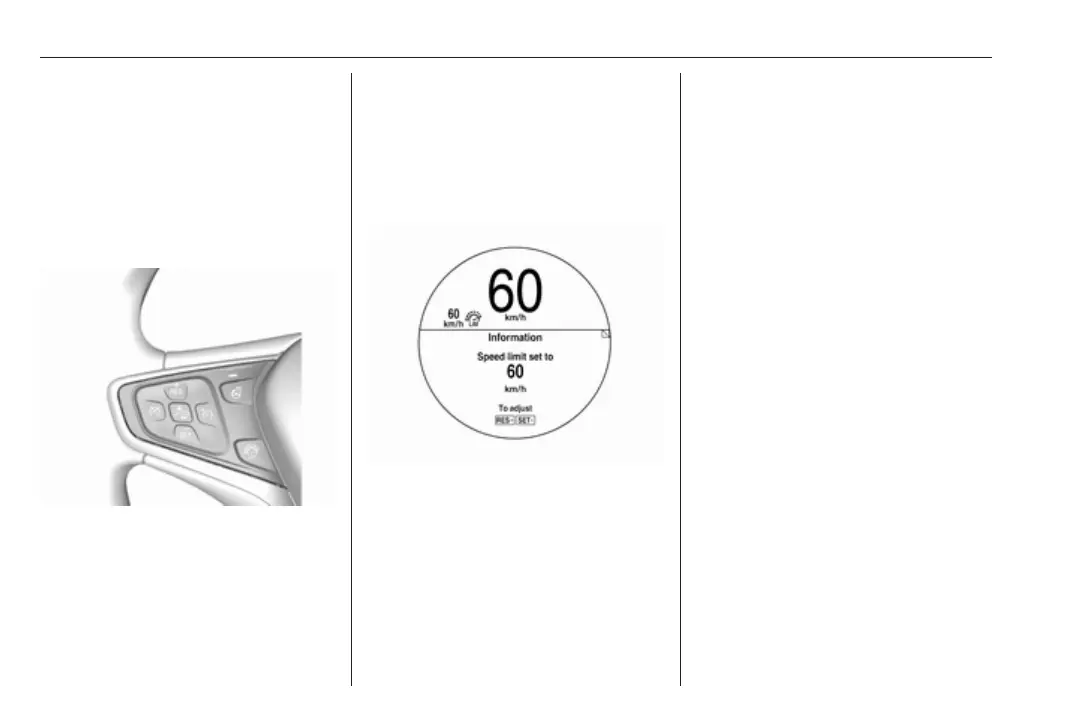
The preset speed limit is displayed in
the Driver Information Centre when
the system is active.
Activation
Press L.
If cruise control has been activated
beforehand, it is switched off when
speed limiter is activated and the
control indicator m extinguishes.
Set speed limit
Accelerate to the desired speed and
briefly press SET/-: the current speed
is stored as maximum speed.
Speed limit is displayed in the Driver
Information Centre.
Change speed limit
With speed limiter active, press
RES/+ to increase or SET/- to
decrease the desired maximum
speed.
Exceeding the speed limit
When exceeding the limited speed
without driver input, the speed will
flash in the Driver Information Centre
and a chime sounds during this
period.
In the event of an emergency, it is
possible to exceed the speed limit by
depressing the accelerator pedal
firmly nearly to the final point. In this
case no chime sounds.
Release the accelerator pedal and
the speed limiter function is
reactivated once a speed lower than
the limit speed is obtained.
Deactivation
The limited speed will be stored and
is indicated in brackets in the Driver
Information Centre. Additionally, a
corresponding message appears.
Speed limiter is deactivated, but not
switched off. Last stored speed
remains in memory for later speed
resume.



 To Next Page