Driving and operating 179
Functionality
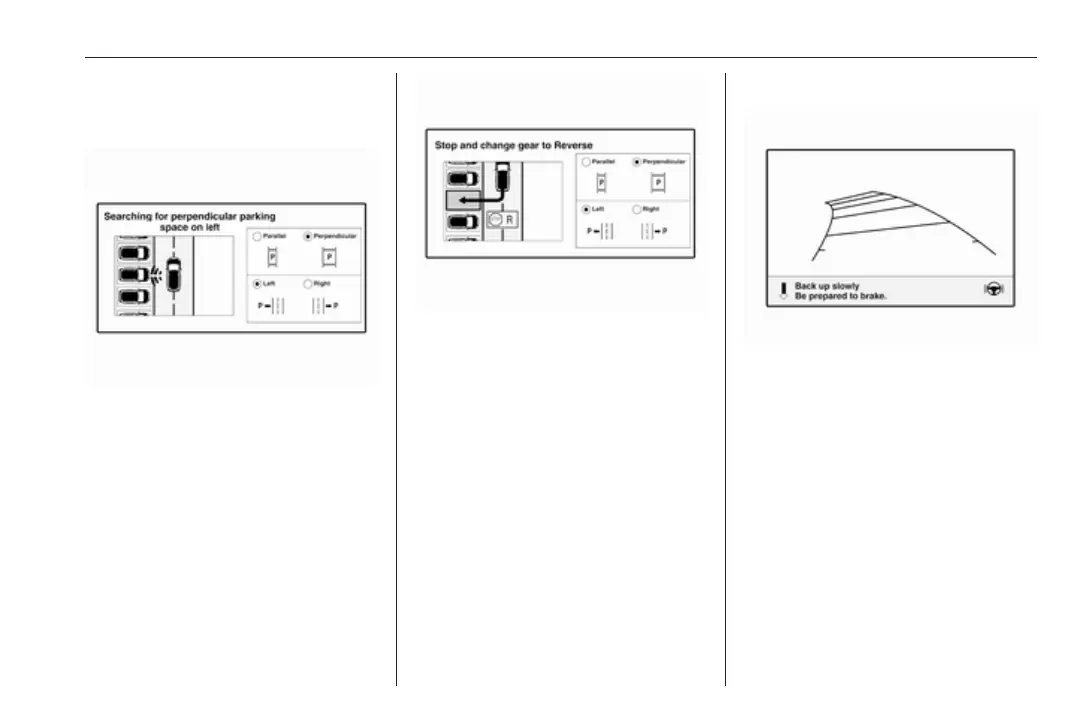
Parking slot searching mode,
indication in the Info display
Select parallel or perpendicular
parking slot by touching the
respective icon on the display.
Select parking side by touching the
respective icon on the display.
When a slot is detected, a visual
feedback on the Info display and an
acoustic signal is given.
If the driver does not stop the vehicle
after a parking slot is proposed, the
system starts to search for another
suitable parking slot.
Park guiding mode
The parking slot suggestion of the
system is accepted when the vehicle
is stopped by the driver within
ten metres for parallel parking slots or
six metres for perpendicular parking
slots after the Stop message is given.
The system calculates the optimal
path into the parking slot.
A brief vibration in the steering wheel
after engaging reverse gear indicates
that the steering is controlled by the
system. Then the vehicle is steered
into the slot automatically by giving
the driver detailed instructions for



 To Next Page