198 Driving and operating
complete by the departure time only if
sufficient time is allowed after the
charge cord is plugged in.
Select the Priority charging to On or
Off (Priority charging will immediately
charge the vehicle to a predefined
level).
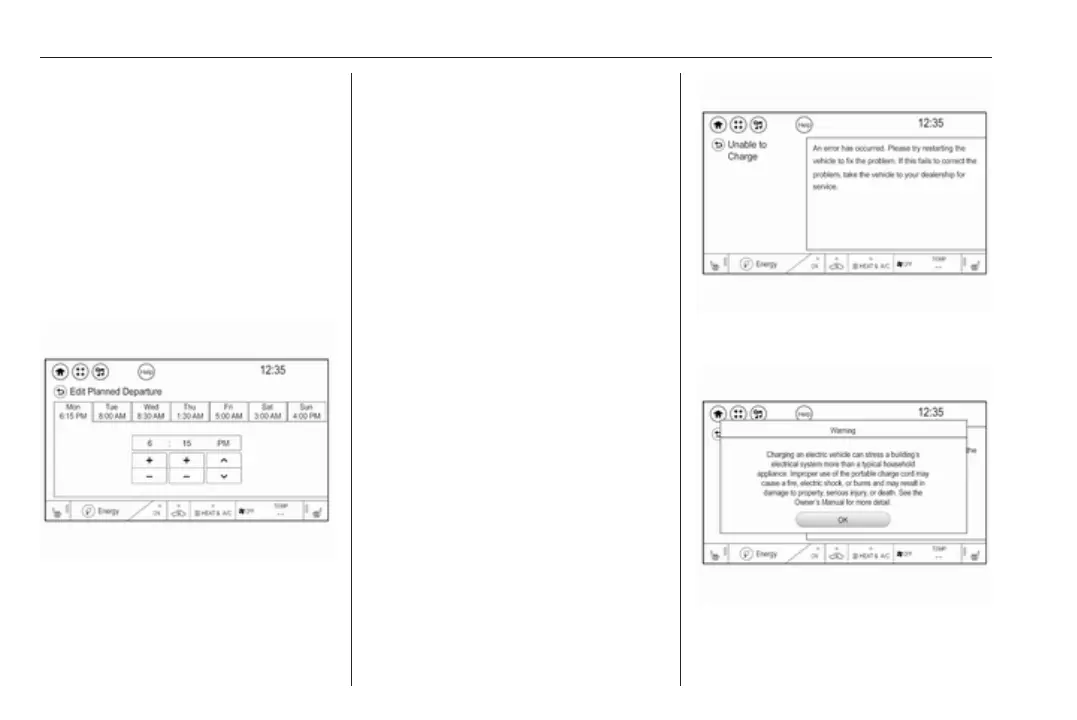
Departure time entry
The departure charge mode allows
for the departure time to be entered to
match your personal schedule.
1. With Departure charge mode
selected, touch Edit.
2. The current programmed
departure time is displayed on the
tab with the day of the week.
Select the tab for the day of the
week that needs to be edited.
3. Touch + or − to change the hours
and minutes.
4. Touch o or n to change AM or
PM.
5. Touch q to exit the screen.
Note
● Charging begins at the start time
and is completed by departure
time only if sufficient time is
allowed after the charge cord is
plugged in.
● The vehicle uses an internal
clock for programmable
charging, not the clock in the Info
display.
Charging mode error
If a charging problem has occurred,
the error message is displayed. In this
case, please try restarting the vehicle
or contact a workshop.
Charge limit selection



 To Next Page