200 Driving and operating
example, if the vehicle is plugged in
for only one hour prior to the
departure time, and the high voltage
battery is completely discharged, the
vehicle will not be fully charged by the
departure time regardless of the rate
selection.
Also, if the selected electric rate
settings result in a very long charge
completion time, the vehicle will start
charging immediately upon plug-in.
For example, if the electric rate table
is set up with all peak rates and the
rate preference is to charge during
off-peak rates only, then the vehicle
will start charging immediately upon
plug-in.
Electric rate schedule
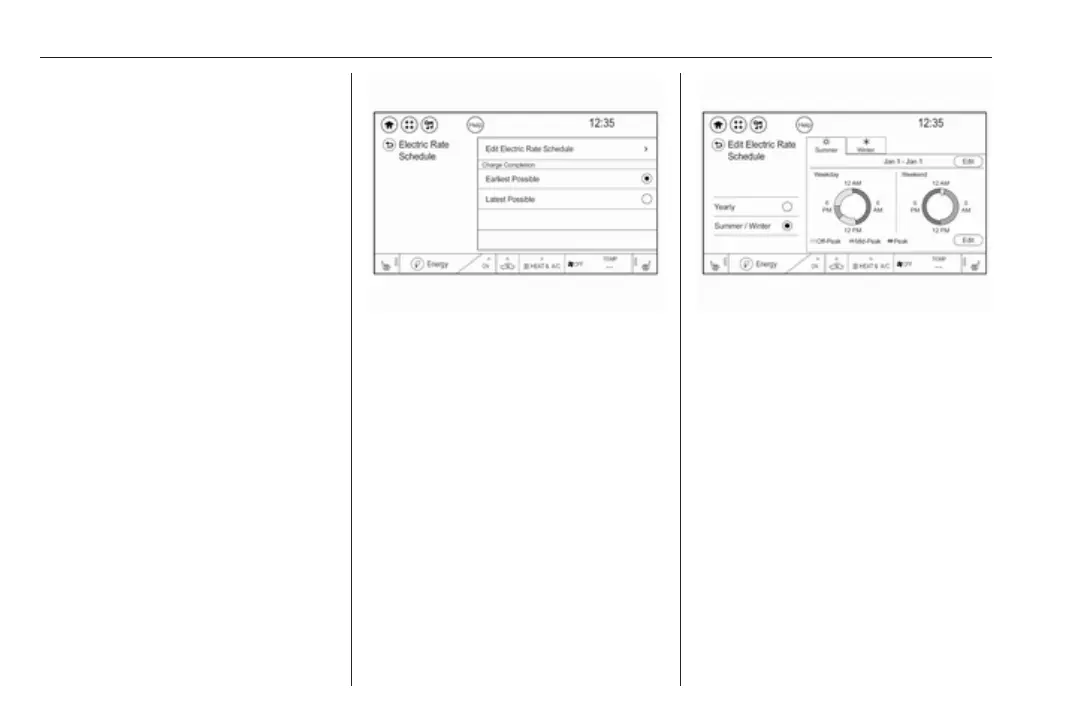
From the Charging mode screen with
Departure charge mode selected,
touch Edit in the Electric rate
preference.
Select one of the following for the
Charge completion option:
● Earliest possible
● Latest possible
Electric rates, or cost per unit, may
vary based on time, weekday/
weekend, and season. During the day
when the demand for electricity is
high, the rates are usually higher and
called peak rates. At night when the
demand for electricity is low, the rates
are usually lower and called off-peak
rates. In some areas, a mid-peak rate
is offered.
Touch Edit electric rate schedule from
the Electric rate Schedule screen and
select the desired schedule.
● Yearly
● Summer / Winter
Summer / Winter schedule start date
entering
With Summer / Winter as the
preferred rate schedule, touch Edit on
the Summer tab next to the dates.
1. Touch + or − to change the month
and day for the start of Summer.
2. Select the Winter tab.



 To Next Page