3.3.7 Drive detection
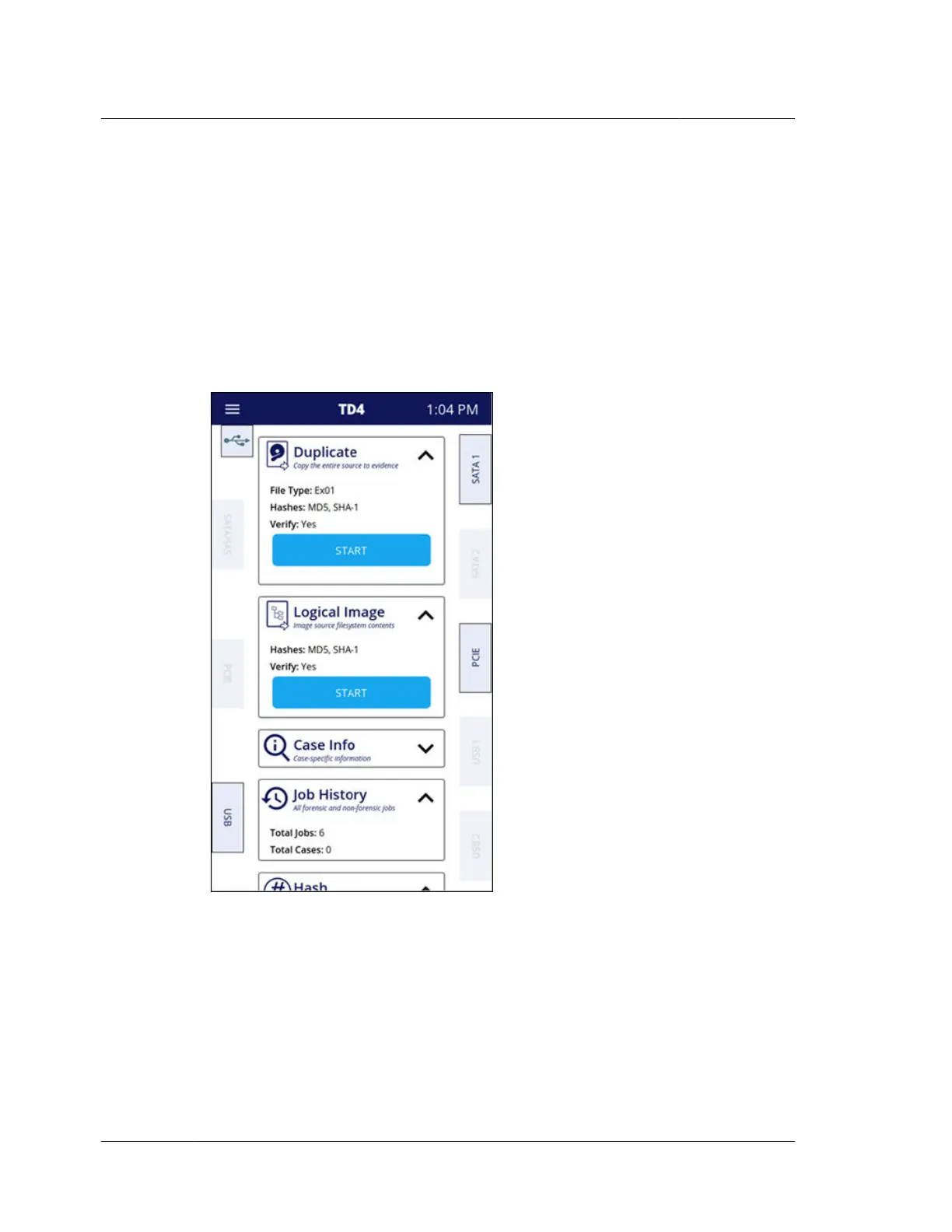
After booting, TD4 begins detecting connected drives sequentially. Inactive drive
tiles shown on the left and right sides of the screen will become fully visible and
active when a drive is detected. Tap any drive tile to view detailed information
about the connected drive and to perform drive-specific actions. See “Source drives”
on page 28 and “Destination drives” on page 29 earlier in this chapter for more
information on available actions.
The image below shows the TD4 home screen with the following drives connected:
USB source, USB accessory, SATA destination, PCIe destination.
Chapter 3 Configuring TD4
30
OpenText™ Tableau™ Forensic TD4 Duplicator
ISTD230100-UGD-EN-1



 To Next Page