3.2.3 Locking the system
It may be desirable to lock your TD4 system while unattended to ensure no settings
are changed or that your active jobs are not altered in any way. To lock your system,
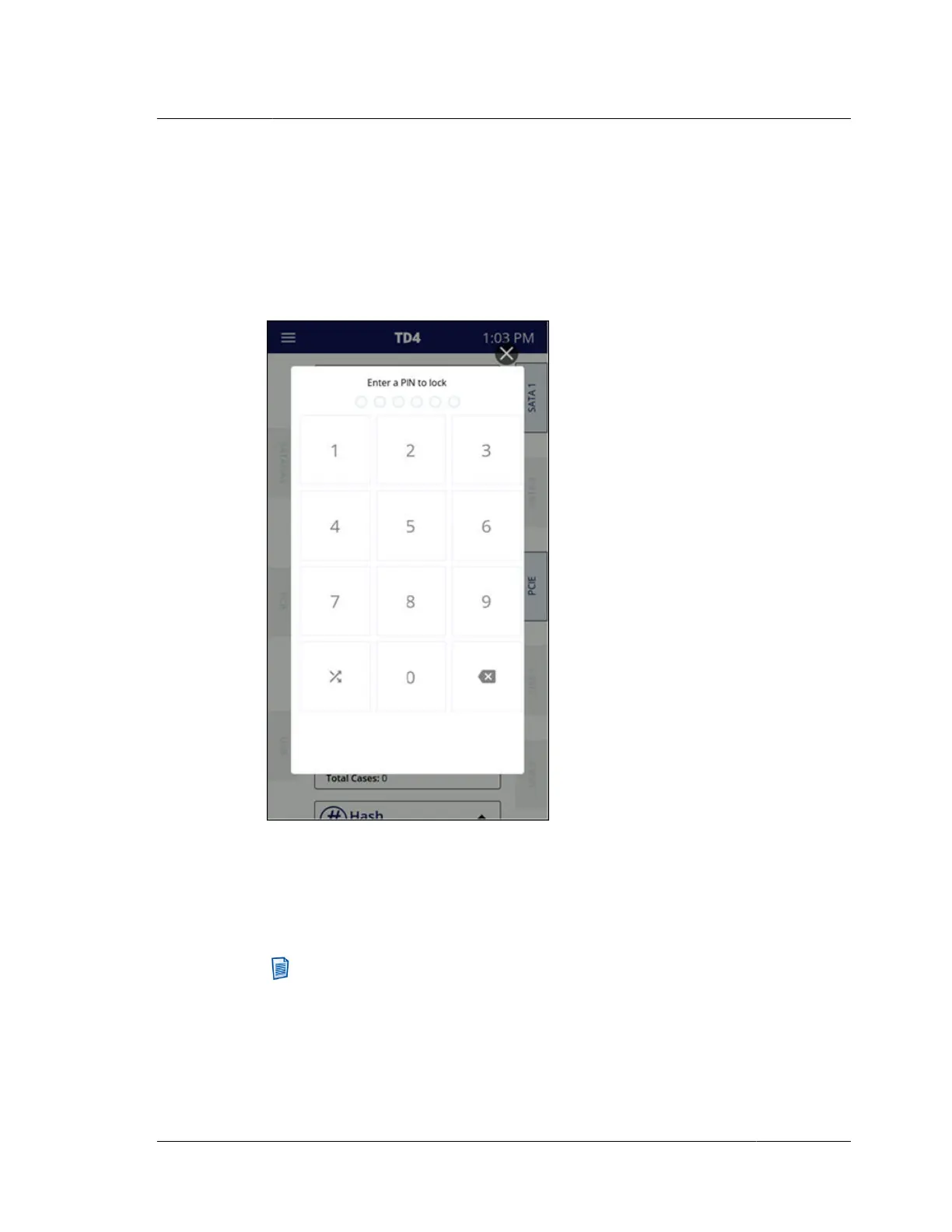
simply tap on the Lock System item in the System Navigation Menu. A screen will
appear that allows for entry of a six-digit personal identification number (PIN), as
shown below.
You will need to enter the six-digit code a second time to verify the PIN. Once the
PIN has been verified, the unit will be locked, showing only the PIN pad on the
screen.
To unlock the system, simply enter the PIN.
Note: The button at the bottom-left of the keypad allows for randomizing the
layout of the digits on the keypad. This can be used to ensure that commonly
used PINs do not create a distinct pattern on the screen.
This PIN locking mechanism is temporary in the sense that each unlock event will
keep the unit unlocked until it is re-locked. Note that power cycling TD4 will clear
the screen PIN lock.
3.2. Configuring TD4
ISTD230100-UGD-EN-1
User Guide
25



 To Next Page