Trim Clones
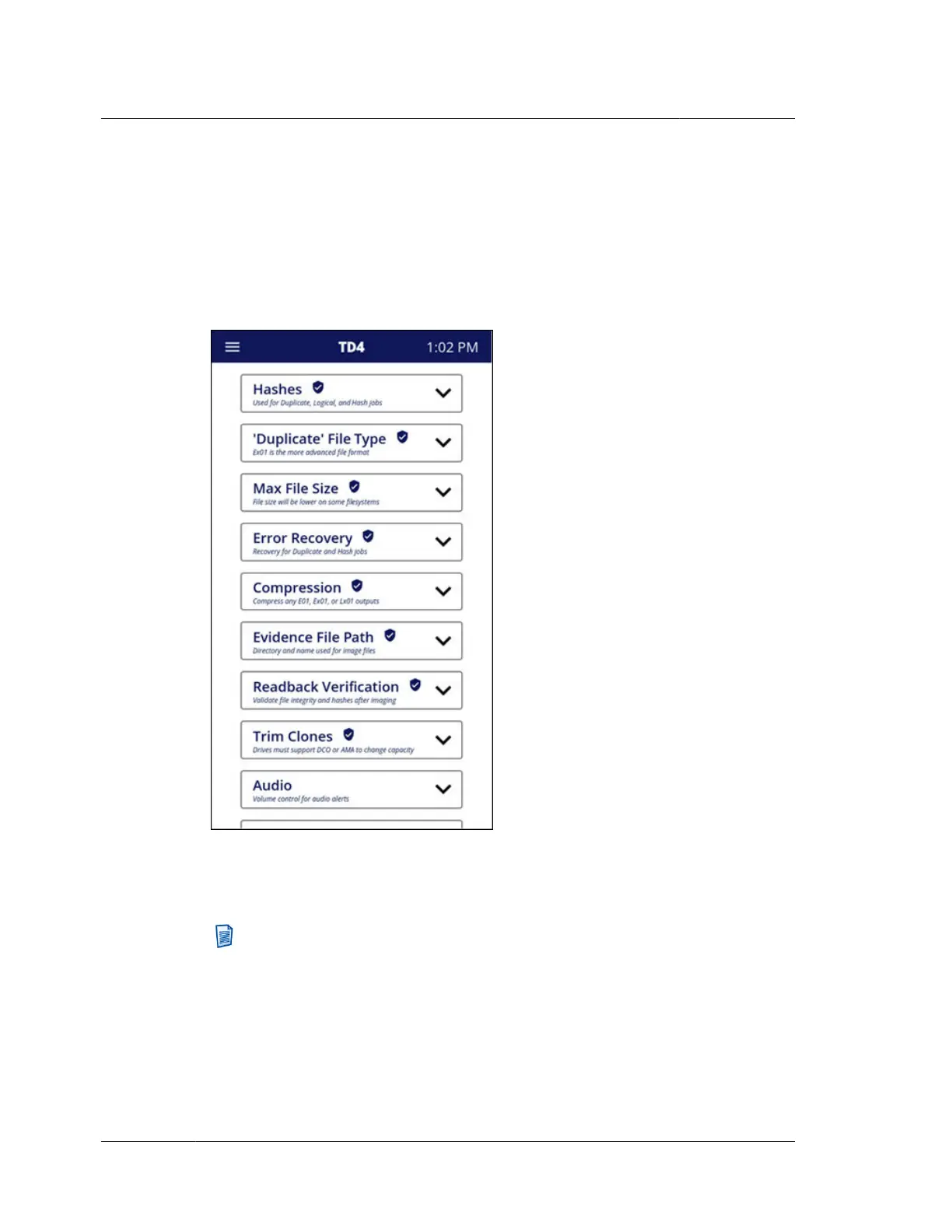
The screenshot below shows the Settings menu after Administration control has
been enabled for Duplication Configuration. Note the shield with checkmark icon
next to the setting items enumerated above. This indicates which settings will
require the Administrator PIN to make changes. All users will be able to view the
current settings, but any attempts to change any of the locked settings will prompt
the user for the Administrator PIN.
To disable TD4 Administration, tap Administration from the System Navigation
Menu and then tap Disable Administration. The Administration PIN will need to
be entered to complete disablement.
Note: When Administration has been enabled, even if none of the individual
control options has been selected, the Administrator PIN will be required to
update the firmware on the unit. This prevents circumvention of the
Administration settings by downgrading firmware.
Chapter 3 Configuring TD4
24
OpenText™ Tableau™ Forensic TD4 Duplicator
ISTD230100-UGD-EN-1



 To Next Page