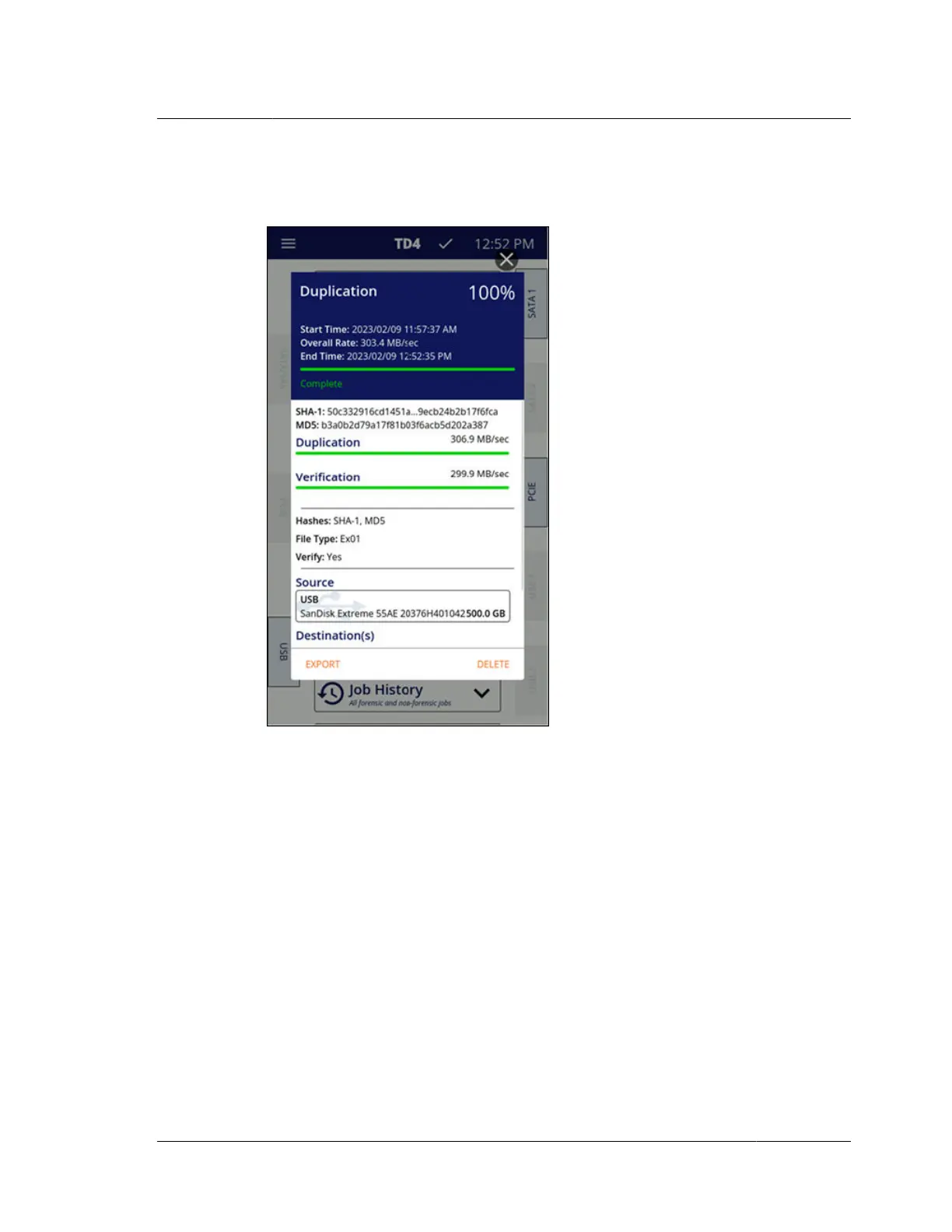
Once a job has completed, the job status screen is displayed and shows the final
status of that job.
If the job status screen is left open after completion of the job, completion status
indicators will continue until the job status screen is closed. Those completion status
indicators include a flashing status LED and, if Idle Chirp is enabled in system
settings, audible notification (once every minute). If Idle Chirp is disabled, the job
completion audible notification will only be provided one time.
4.5 Job history
Job status screens can be viewed from the jobs list which is accessible from the Job
History tile on the home screen. Tapping the lower portion of the expanded Job
History tile opens the jobs list for that unit. The jobs in this list are stored on the unit
and persist across power cycles. Any active jobs will show in the list with an active
blue progress bar. Successfully completed jobs will show with a full green progress
bar. Canceled jobs will show a partially filled yellow progress bar. And failed jobs
will show with a partially filled red progress bar. Tapping a specific job tile from the
list will open the job status screen for that job. An example of a Job History list is
shown below.
4.5. Job history
ISTD230100-UGD-EN-1
User Guide
35



 To Next Page