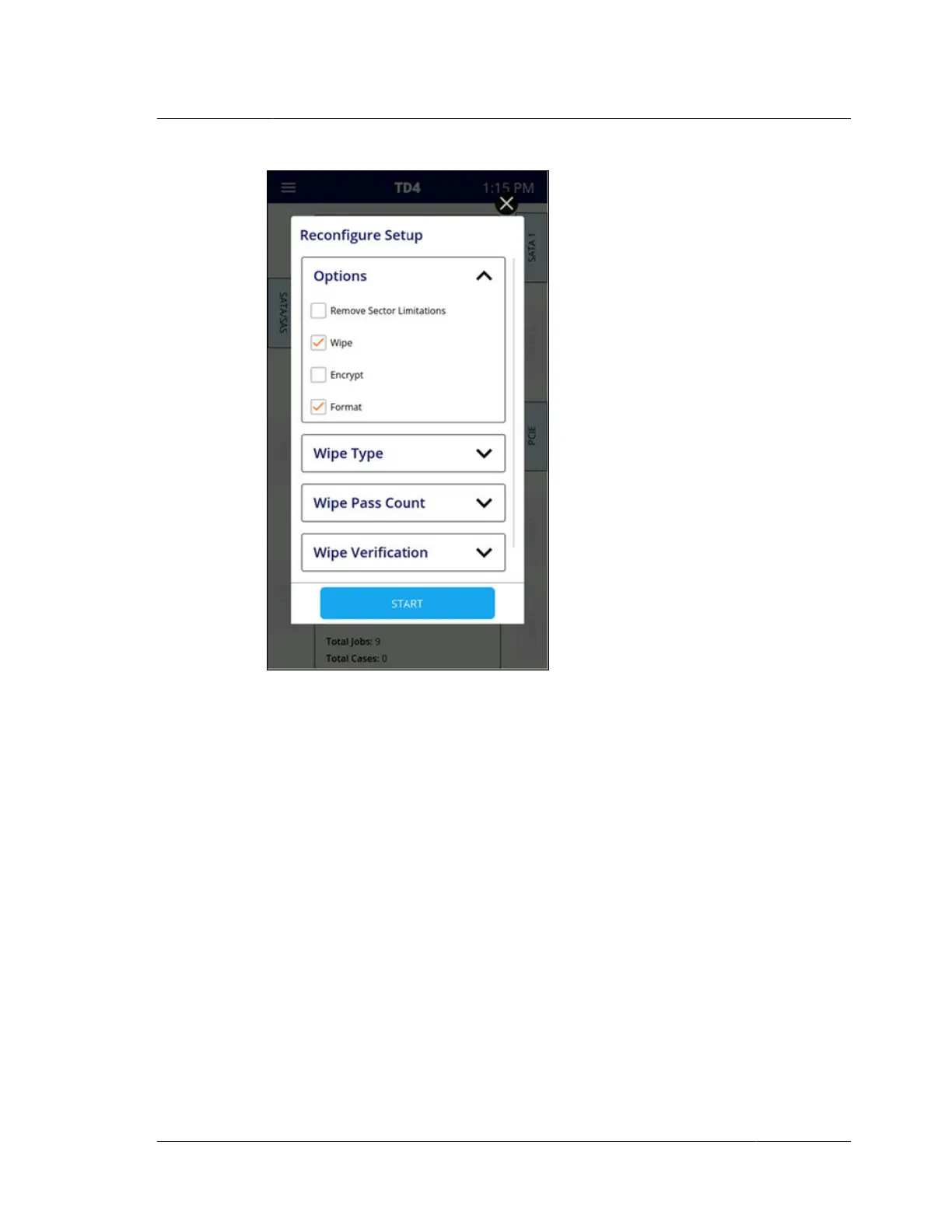
Reconfigure allows sequential completion of the requested tasks without need for
user intervention. This makes it easy to execute common destination media
preparation steps in automated fashion, without having to do each one as a separate
step. For example, a destination drive could be wiped and then formatted in one job
by selecting Wipe and Format, setting the options for each sub-step, and then
tapping Start. Note that the listed order of the optional sub-functions of Reconfigure
is intentional and matches the order in which they will be applied to the drive.
Details on each Reconfigure sub-function are provided in the sub-sections below.
4.6.2.1 Remove sector limitations
In the past, the most common method of intentionally limiting the reported capacity
of a drive was by using the ATA HPA (host protected area) and/or DCO (device
configuration overlay) feature sets. Starting with the ACS-3 (ATA/ATAPI Command
Set 3) specification update, the concept of Addressable Maximum Address (AMA)
was introduced. Newer drives may support this method of limiting the reported
drive capacity. TD4 supports all these methods with automated detection,
identification, and notification that will make dealing with them seamless and easy.
From a forensic point of view, it is valuable to know if HPA, DCO, or AMA are in
use. With that knowledge, the forensic practitioner can make an informed decision
about whether to acquire data in the hidden regions of the drive.
4.6. Viewing sources and destinations
ISTD230100-UGD-EN-1
User Guide
41



 To Next Page