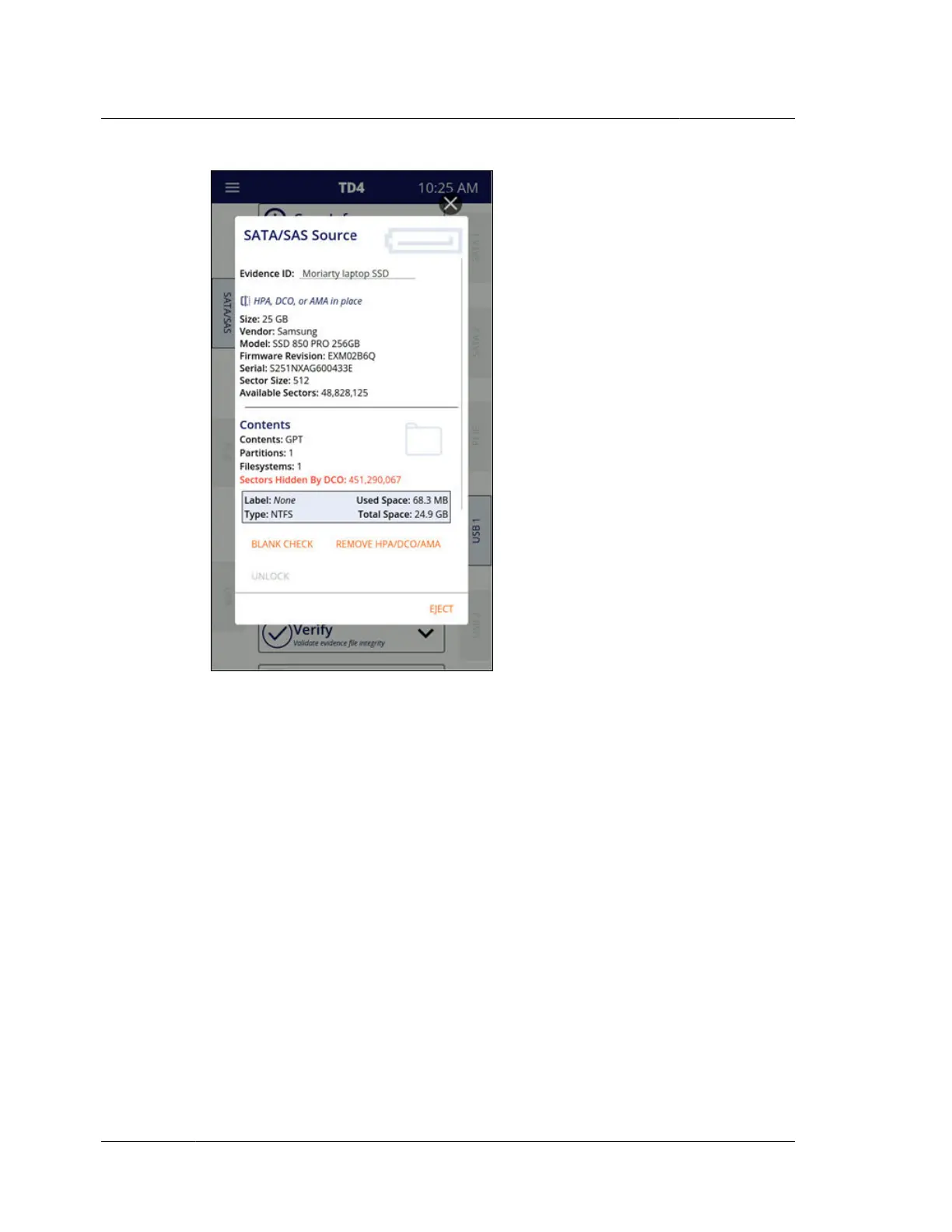
The Evidence ID field at the top of the drive details screen allows a brief description
of the drive to be entered. This Evidence ID value is an informal way to identify
drives which allows them to be more easily recognized throughout the TD4 user
interface. This Evidence ID will appear in the drive details screens and drive cards,
which are seen in various places such as in the Source and Destination(s) sections of
the job status screen. Evidence ID will also appear in the forensic logs. If no Evidence
ID is entered for a given drive, the drive will be identified by the vendor name,
model, and serial number.
After the Evidence ID field, the top section of the drive details screen shows key
information about the selected drive, such as size, vendor, model, firmware revision,
serial number(s), sector size, and available (reported) sectors. USB drives will have
additional information shown, including a USB specific serial number.
The Contents section of the drive details screen provides information about what is
on the drive, and it also allows for drive specific actions such as Blank Check,
Reconfigure (destinations only), Remove HPA/DCO/AMA (sources only), and
Tableau Encryption Unlock. For drives with detectable filesystems, the top portion
of the Contents section indicates the partition table type, number of partitions, and
number of filesystems. Each detectable filesystem will have a filesystem card that
shows more information about the filesystem. To browse a filesystem, tap the
filesystem card. If a drive has any sector limitations in place (HPA/DCO/AMA), a
Chapter 4 Using TD4
38
OpenText™ Tableau™ Forensic TD4 Duplicator
ISTD230100-UGD-EN-1



 To Next Page