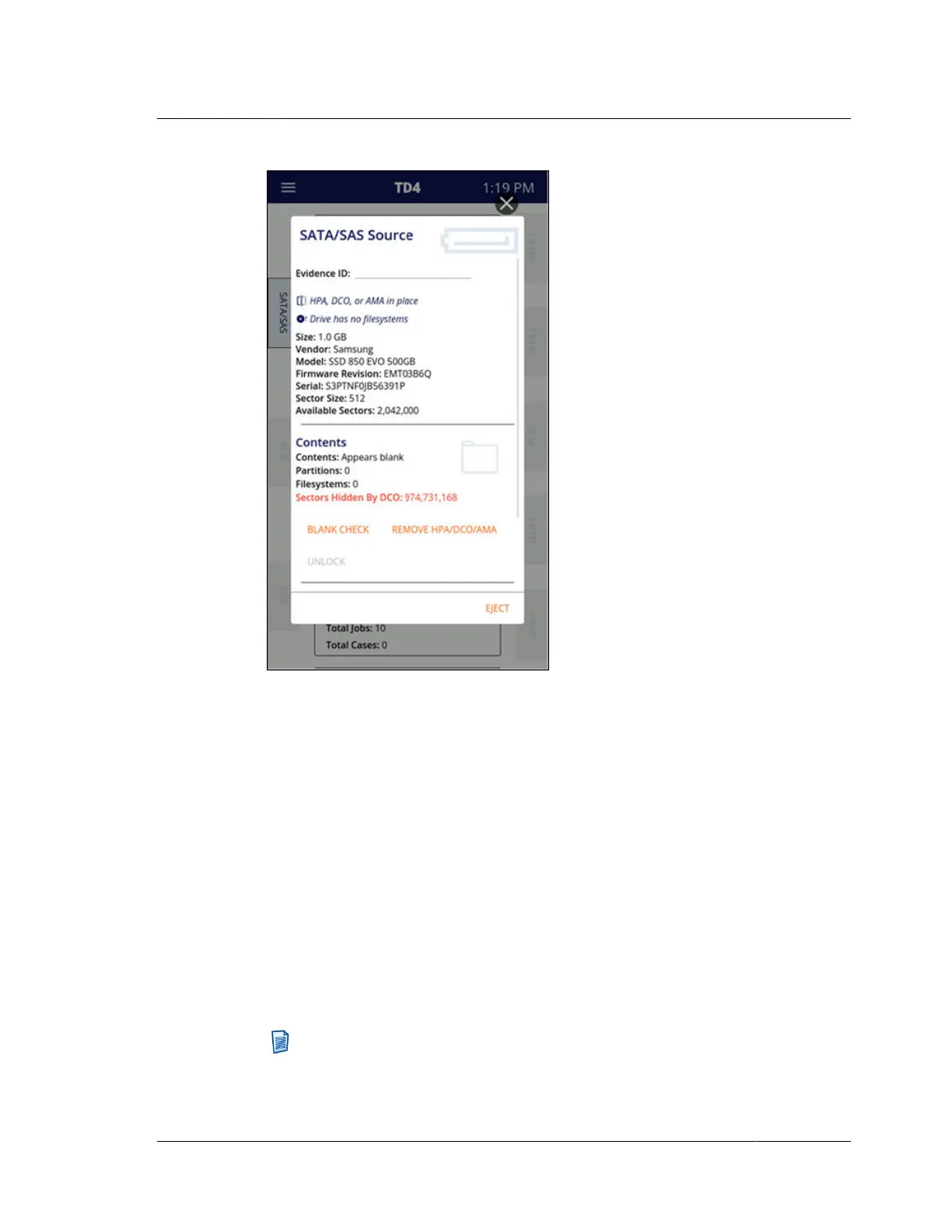
IDE drives with a DCO require special considerations with TD4. DCO setting
changes require power-cycling the drive which, for directly connected SATA drives,
is done automatically by TD4. However, since IDE drive power can be provided in
several ways, TD4 cannot deterministically cycle an IDE drive’s power.
To disable a DCO on an IDE drive, ensure that the IDE drive (via TDA7-5) is the
only connected source drive and then complete the following steps:
1. Tap Remove Sector Limitations from the source drive details screen and
confirm that DCO removal is desired to start the task.
2. Tap Eject at the bottom-right of the drive details screen.
3. Remove power from the IDE drive.
4. Remove TDA7-5 from TD4.
5. Re-connect TDA7-5 (with IDE drive connected) to TD4.
6. Re-connect power to the IDE drive.
Note: Specifically for IDE drives connected via TDA7-5, the forensic log for a
DCO/AMA removal job will report successful completion of the DCO removal
operation immediately after the command has been issued to the drive. TD4
4.6. Viewing sources and destinations
ISTD230100-UGD-EN-1
User Guide
45



 To Next Page