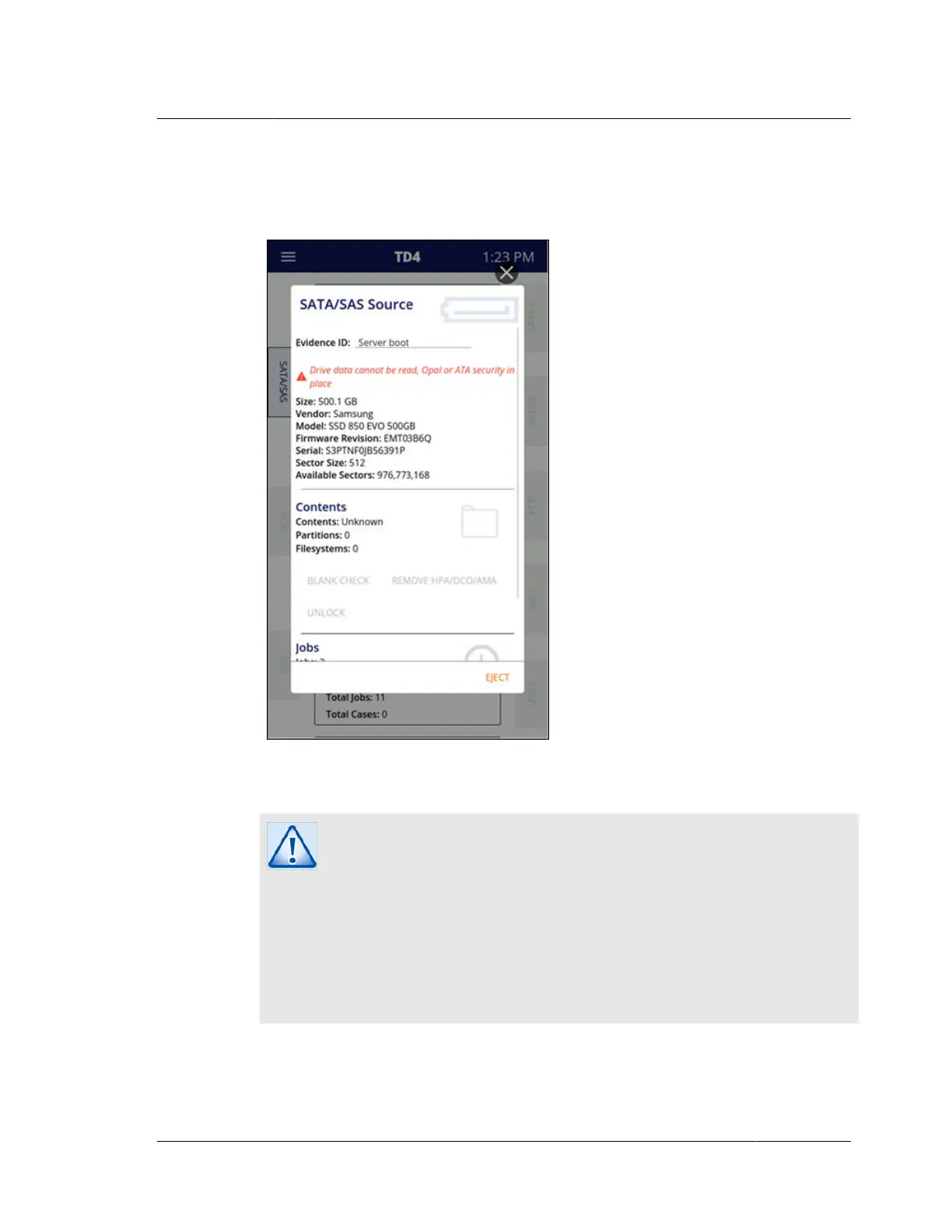
the edge of its home screen drive tile. Such a drive will also include a warning
message near the top of the drive details screen indicating the drive is a locked Opal
drive and that it cannot be read, as shown in the screenshot below.
Note that Opal drives that have not had their encryption enabled will behave as
regular, non-encrypted drives.
Caution
Docking station type devices that have Opal drives in them must support
ATA command pass-through for TD4 to properly detect the presence of
Opal encryption. Docking stations that do not support ATA command
pass-through may present locked Opal media as all zeros with no
indication of Opal encryption being present in the TD4 user interface. Use
caution when acquiring any media via a docking station. If you suspect a
drive in a docking station is Opal encrypted but is not being presented that
way in the TD4 user interface, removing the drive from the enclosure and
connecting it directly to TD4 may yield the desired outcome.
4.6. Viewing sources and destinations
ISTD230100-UGD-EN-1
User Guide
51



 To Next Page