Version 1.2.8 - 2020-08-0330 Translation of original operating manual
MT50
GB
MT50_GB_4.fm
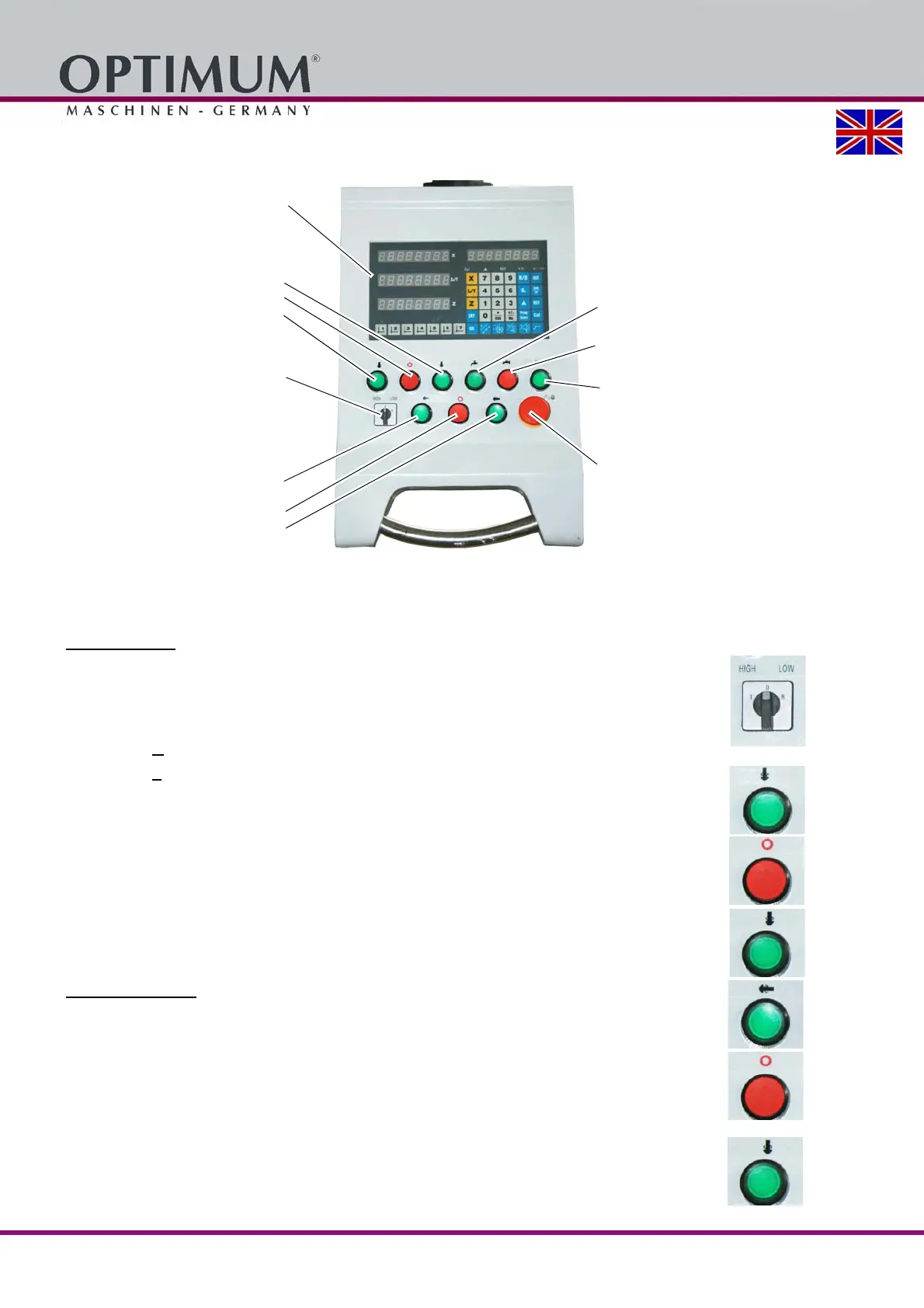
5.2.1 Control panel
Img.5-2: Control panel
5.2.2 Switching elements
Vertical milling
Stage switch "High Speed"/ "Low Speed"
The operating mode "High Speed or Low Speed" is selected by means of the stage switch. The
stage switch "High" and "Low" must only be used for vertical milling.
Gear stage "H
" (High speed)
Gear stage "L
" (Low speed)
Push button spindle "forward"
The push button switches on the rotation of the spindle.
Main switch
The push button "OFF“
switches off the rotation of the spindle.
Push button spindle "reverse"
The push button switches on the rotation of the spindle.
Horizontal milling
Push button spindle "forward"
The push button switches on the rotation of the spindle.
Main switch
The push button "OFF“
switches off the rotation of the spindle.
Push button spindle "reverse"
The push button switches on the rotation of the spindle.
Position display DPA2000
Vertical milling
Push button spindle "forward"
Push button spindle "OFF"
Push button spindle "reverse"
Step switch "HIGH/ LOW"
(For a description please see below)
Horizontal milling
Push button spindle "reverse"
Push button spindle "OFF"
Push button spindle "forward"
Push button coolant pump "ON"
Push button coolant pump "OFF"
Push button "Control ON" and "indica-
tor light"
Emergency stop















 To Next Page