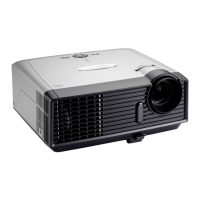
EP783/EP783S/EP783L/OPX5000/TX783L/TX783S
Condential
3-4
No Symptom
Procedure
4 No Image
- Ensure the Signal Cable and Source work
(If you connect multiple sources at the same time, use the
“Source” button on the control panel to swtich)
- Ensure all connectors are securely connected and aren’t
broken
- Check Wireless Module (Only at the time when you are usingCheck Wireless Module (Only at the time when you are using
WLAN to transfer the signal)WLAN to transfer the signal)
- Check Main Board
- Check IO Board
- Check DMD Board
- Check DMD Chip
- Check Engine Module
5 Machanical Noise
- Check Color Wheel
- Check Fan Module
6
Line Bar/ Line
Defect
- Check if the Main Board and the DMD Board are
assembled properly
- Check Main Board
- Check DMD Board
- Check DMD Chip
7 Image Flicker
- Do “Reset (All data)” of the OSD Menu
- Ensure that the signal cables and source are work as well
- Check Lamp Module
- Check Color Wheel
- Check DMD Board
- Check Main Board
8
Color Abnormal
- Do “Reset(All data)” of the OSD Menu
- Adjust Color Wheel Index
- Check Main Board
- Check DMD Board
- Check Color Wheel



 To Next Page