EP783/EP783S/EP783L/OPX5000/TX783L/TX783S
Condential
5-9
5-2-2 8051 Firmware Upgrade
Procedure
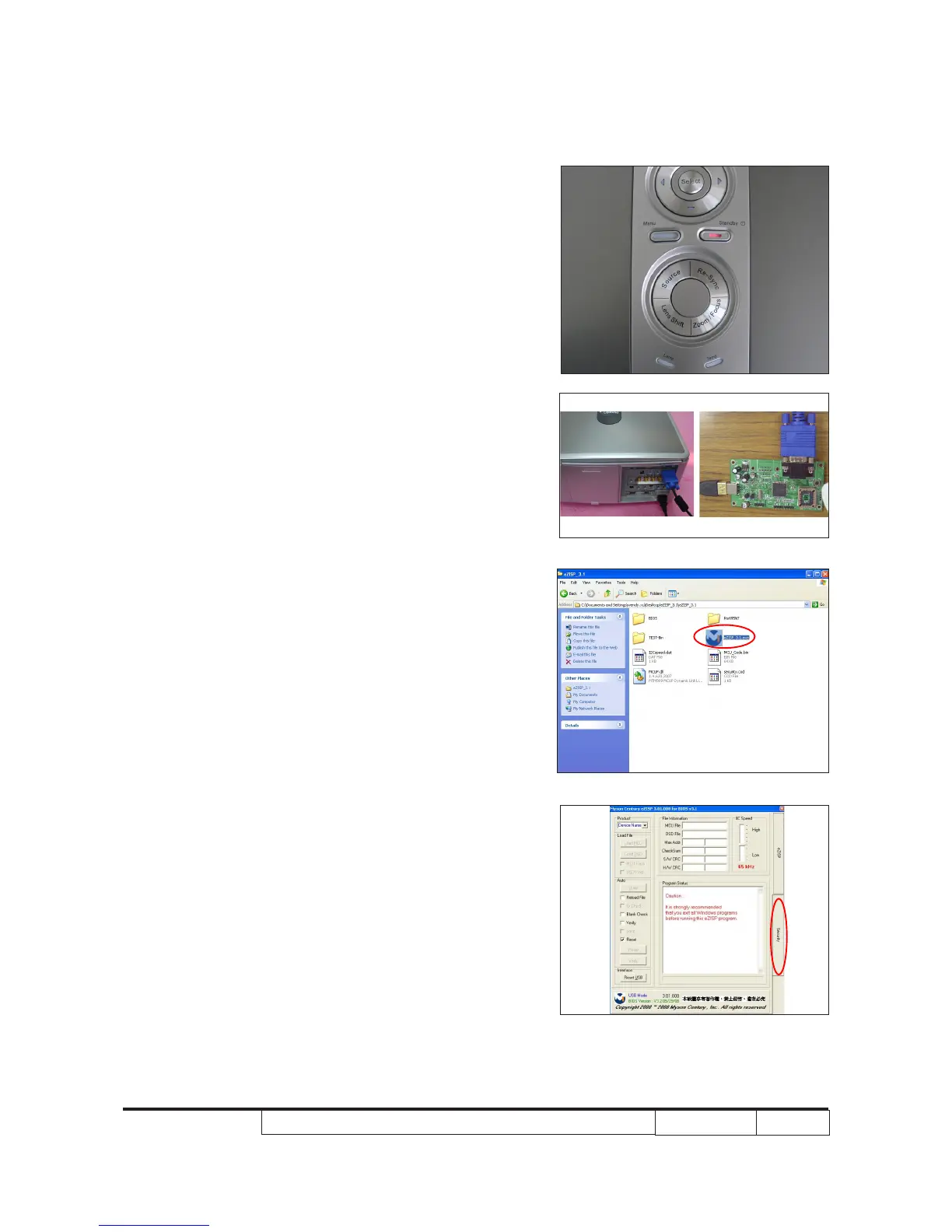
1.
Set up
- Plug VGA cable into 8051 xture link to the projector
VGA1 port.
- Plug USB cable into 8051 xture link to PC.
- Hold on “Standby” button, plug in power cord.
Note: The system fan and the light will not operated.
2. Execute the “eZISP_3.1”le.
3. Click “Security”.



 To Next Page